Notion vs ClickUp vs Asana: Picking the Right Tool for a Small Team in 2026
Choosing the wrong tool costs you weeks of setup time, migration headaches, and the productivity loss of a team using a tool that does not fit how they actually work. This guide compares all three honestly — features, pricing, strengths, weaknesses, and the situations where each one wins — so you can make the right decision for your team.
The Quick Answer
- Choose Notion if your team needs a flexible all-in-one workspace — documents, wikis, databases, and light project tracking in one place
- Choose ClickUp if your team wants the most features and customisation in a dedicated project management tool
- Choose Asana if your team wants the most polished, easiest-to-adopt task and project management experience
What Each Tool Is Built For
Understanding the core philosophy of each tool explains most of the differences between them.
Notion started as a note-taking and wiki tool and evolved into a flexible workspace. It is built around the idea that documents and databases should live together. A Notion page can contain a task list, a table of project data, embedded files, and rich text — all in one place. Notion is not primarily a project management tool — it is a workspace that can do project management among many other things.
ClickUp is a dedicated project management tool that tries to do everything. Its tagline is "one app to replace them all" and it means it — ClickUp packs an enormous number of features into a single product. Tasks, docs, goals, time tracking, whiteboards, chat, sprints, and automation all live inside ClickUp. The philosophy is maximum flexibility and feature density.
Asana is a focused task and project management tool. It does not try to replace every other tool — it tries to be the best possible tool for tracking work, managing projects, and coordinating team effort. The philosophy is clarity and simplicity — every feature is designed to make it obvious what needs to be done, who is doing it, and when it is due.
Features Comparison
Task Management
All three tools handle tasks — but differently.
Asana's task management is the most polished. Tasks have clear owners, due dates, priorities, subtasks, and dependencies. The interface makes it immediately obvious what is assigned to whom and what is overdue. Creating and updating tasks is fast and requires minimal clicks. For teams whose primary need is tracking who is doing what by when, Asana's task management is the smoothest experience.
ClickUp's task management is the most powerful. Tasks can have custom fields, multiple assignees, time estimates, time tracking, sprints, points, and virtually any other attribute you can imagine. You can view tasks as a list, board, calendar, Gantt chart, timeline, mind map, or workload view. The depth of customisation is unmatched — but it comes at the cost of complexity. New team members take longer to get up to speed on a heavily customised ClickUp setup.
Notion's task management is the most flexible but the least purpose-built. You create a database, add properties for status, owner, and due date, and filter and sort to create task views. It works well for teams that want tasks integrated directly with their documentation. It feels slower and less intuitive than Asana or ClickUp for pure task tracking because tasks are not a first-class concept — they are a database.
Winner for task management: Asana for ease of use, ClickUp for power and customisation.
Documentation and Knowledge Base
This category has a clear winner.
Notion is purpose-built for documentation. Pages are beautiful, flexible, and can contain any combination of text, tables, images, code blocks, embedded content, and databases. Building a team wiki, a product spec, an onboarding guide, or a company handbook in Notion is a genuinely pleasant experience. The block-based editor gives you complete control over content structure.
ClickUp Docs has improved significantly and now supports rich text, nested pages, and collaboration — but it still feels like a feature added to a project management tool rather than a core strength.
Asana has almost no documentation capability. It is not a tool for writing and storing knowledge — it is purely for tracking work.
Winner for documentation: Notion — by a significant margin.
Views and Visualisation
How you view your work matters. Different teams need different views — some prefer lists, others prefer boards, some need a calendar, and project managers often need a Gantt chart.
ClickUp offers the most views — List, Board, Calendar, Gantt, Timeline, Workload, Table, Mind Map, Whiteboard, and more. If there is a way to visualise work, ClickUp probably has it. This is one of ClickUp's strongest selling points for teams with diverse needs.
Asana offers List, Board, Calendar, Timeline, and Workload views. The Timeline view — Asana's Gantt-style chart — is well-executed and useful for planning multi-phase projects. The Workload view shows team capacity across people and time periods.
Notion offers List, Board, Calendar, Table, Gallery, and Timeline views for databases. The views are functional and the gallery view is unique — useful for visual content like design assets or product catalogues. But Notion's views are less powerful than ClickUp's and the timeline view lacks the depth of Asana's.
Winner for views: ClickUp for variety and power, Asana for polish.
Automation
All three tools support automation — triggering actions based on conditions without manual work.
ClickUp's automation is the most powerful. You can create custom rules that trigger on almost any event — status change, due date approaching, assignee change, field update — and execute almost any action. ClickUp also integrates with Zapier, Make, and has a native API for custom integrations.
Asana's automation is called Rules and covers the most common automation needs — moving tasks between sections when status changes, assigning tasks based on conditions, sending notifications when deadlines approach. Rules are easier to set up than ClickUp's automation but less powerful for complex workflows.
Notion's automation is the most limited. Native automations are basic — you can trigger actions when database properties change, but the depth is nowhere near ClickUp or Asana. For serious automation with Notion you need to connect it to Zapier or Make.
Winner for automation: ClickUp for power, Asana for ease of setup.
Collaboration
All three tools support real-time collaboration — multiple people working simultaneously, comments on tasks or pages, and @mentions to notify teammates.
Asana's collaboration is centred on tasks and projects — comments on tasks, conversations within projects, and team-level status updates. The Inbox feature aggregates all notifications and task updates in one place, making it easy to stay on top of team activity.
Notion's collaboration is centred on pages — real-time co-editing of documents, inline comments on specific text, and page-level discussions. For teams that collaborate heavily on written content, Notion's collaboration is excellent.
ClickUp's collaboration features include task comments, document collaboration, a built-in chat, and whiteboards for visual collaboration. It tries to cover every collaboration scenario — which means it covers all of them adequately but none of them as well as the specialist tools.
Winner for collaboration: Asana for task collaboration, Notion for document collaboration.
Pricing
Notion Pricing
- Free: Unlimited pages and blocks for individuals, limited collaboration features
- Plus: $10 per user per month — unlimited file uploads, 30-day page history, unlimited guests
- Business: $15 per user per month — 90-day page history, private teamspaces, advanced analytics
- Enterprise: Custom pricing — unlimited history, advanced security, dedicated support
ClickUp Pricing
- Free: 100MB storage, unlimited tasks and members, limited features
- Unlimited: $7 per user per month — unlimited storage, integrations, dashboards, and Gantt charts
- Business: $12 per user per month — Google SSO, custom exporting, advanced automation
- Enterprise: Custom pricing — white labelling, advanced permissions, enterprise integrations
Asana Pricing
- Personal: Free for up to 10 users — unlimited tasks, projects, and messages
- Starter: $10.99 per user per month — timeline, workflow builder, advanced search
- Advanced: $24.99 per user per month — goals, portfolios, workload management
- Enterprise: Custom pricing
Pricing Summary
| Plan | Notion | ClickUp | Asana |
|---|---|---|---|
| Free plan | Yes — unlimited pages | Yes — unlimited tasks | Yes — up to 10 users |
| Entry paid plan | $10/user/month | $7/user/month | $10.99/user/month |
| Best value | Plus plan | Unlimited plan | Starter plan |
Winner for pricing: ClickUp — best features per dollar at every tier.
Ease of Use and Onboarding
For small teams, ease of adoption is critical. A tool nobody uses because it is too complex is worse than a simpler tool everyone uses.
Asana is the easiest to adopt. The interface is clean and focused. New team members can understand how to create tasks, assign them, set due dates, and mark them complete within minutes. The learning curve is the gentlest of the three — which is why Asana is often the choice for non-technical teams and people who have never used project management software before.
Notion has a medium learning curve. Understanding pages and blocks is quick. Understanding databases — the core of Notion's power — takes longer. Teams that invest in learning Notion properly get enormous value from it. Teams that use only a fraction of its features often find themselves in a disorganised mess of pages.
ClickUp has the steepest learning curve. The sheer number of features is overwhelming for new users. Customising ClickUp effectively requires significant upfront investment — setting up the right spaces, folders, lists, statuses, and custom fields for your team. Once set up well, ClickUp is extremely powerful. Getting to that well-set-up state takes time and effort.
Winner for ease of use: Asana.
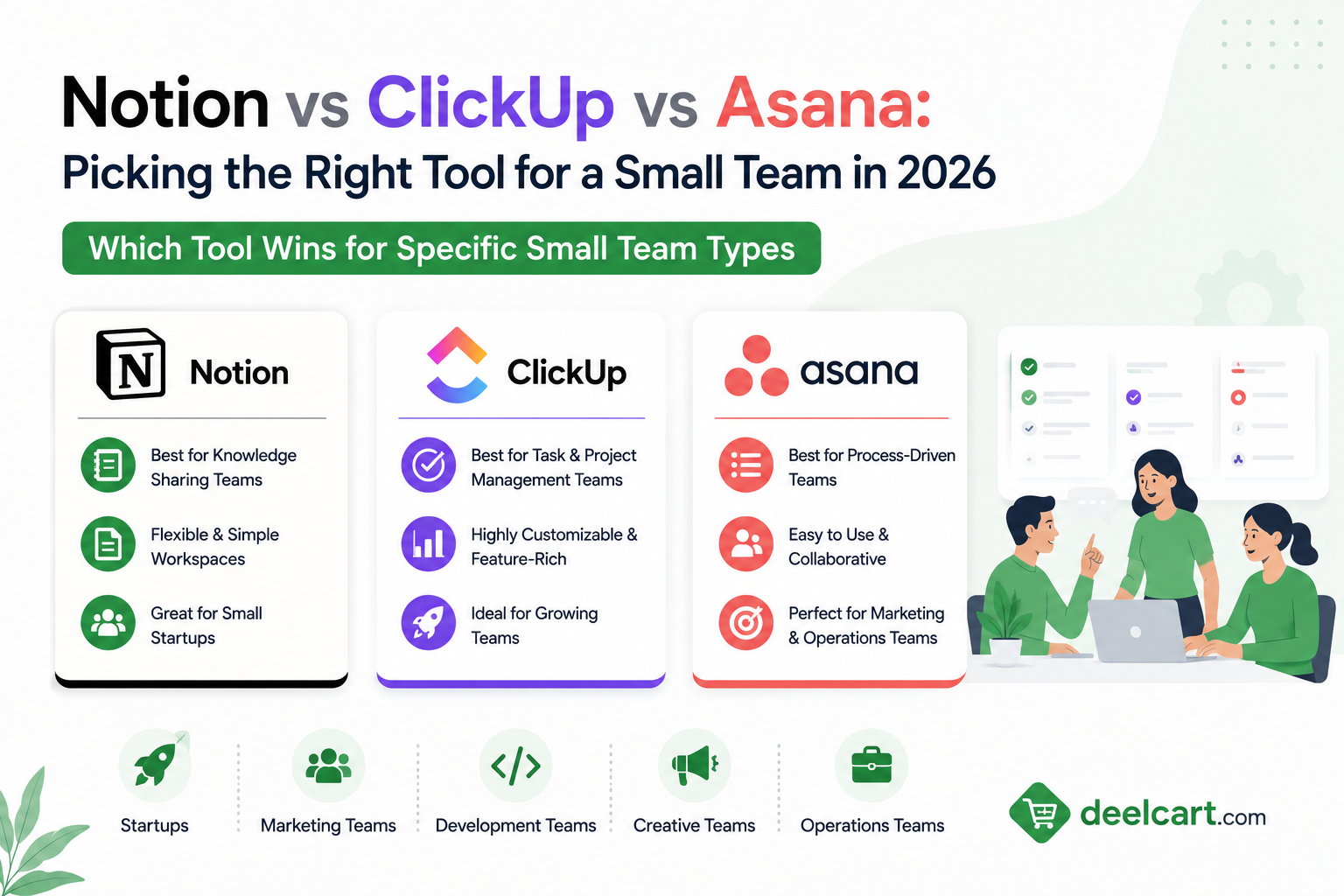
Which Tool Wins for Specific Small Team Types
Creative and Content Teams
Notion wins. Creative teams produce a lot of written content — briefs, scripts, campaign plans, brand guidelines, content calendars. Notion's document-first approach means content lives alongside the tasks that produce it. A content calendar built in Notion can link directly to the brief, draft, and publishing checklist for each piece.
Software Development Teams
ClickUp wins. Development teams need sprint management, story points, bug tracking, Git integrations, and the ability to customise workflows for different types of work — features, bugs, tech debt, design tasks. ClickUp's depth of customisation and developer-friendly features make it the strongest fit.
Agency and Client Services Teams
Asana wins. Agencies manage multiple client projects simultaneously and need clear visibility into what is due, who owns it, and what is blocked. Asana's timeline views, project portfolios, and clean client-facing reporting make it the best choice for agencies that need to report progress to clients.
Early Stage Startups
ClickUp or Notion depending on your team's preference. Early startups need to do everything — plan, document, build, and iterate. ClickUp's breadth covers most needs in one tool. Notion's flexibility lets small teams build exactly the system they need without being constrained by someone else's workflow model. Both work well for teams of 2 to 10 people.
Operations and Admin Teams
Asana wins. Operations teams run recurring processes — onboarding, reporting cycles, compliance reviews — and Asana's workflow automation and template system makes recurring work manageable. The clarity of Asana's task and project view suits teams that need reliable process execution more than flexible documentation.
Remote-First Teams
Notion wins. Remote teams rely on documentation more than co-located teams because you cannot tap someone on the shoulder to ask a question. Notion's ability to build a comprehensive company wiki — processes, decisions, onboarding guides, team norms — makes async work more effective.
The Weaknesses You Should Know About
Notion Weaknesses
Notion's biggest weakness is that it can become disorganised very quickly. Without discipline and clear conventions about how pages are structured, a Notion workspace becomes a maze of nested pages that nobody can navigate. Notion gives you total freedom — which means you are responsible for creating structure.
Notion's task management — while functional — lacks the polish and depth of Asana or ClickUp. There is no equivalent to Asana's Inbox, no proper dependency management, and no native time tracking. For teams that primarily need project management, Notion forces compromises.
Notion can also be slow to load on older hardware and poor internet connections — a problem that shows up in larger workspaces.
ClickUp Weaknesses
ClickUp tries to do everything and as a result some features feel unfinished. The interface can be cluttered and overwhelming. New users frequently complain about how long it takes to understand ClickUp and configure it correctly for their team.
ClickUp has had a historical reputation for bugs and performance issues — though these have improved significantly in recent versions. For teams that value stability and polish over feature count, this matters.
The flexibility that makes ClickUp powerful also makes it easy to set up badly. A poorly configured ClickUp workspace is worse than a well-configured simpler tool.
Asana Weaknesses
Asana's biggest weakness is price. It is the most expensive of the three at comparable feature levels. For a small team of five people the cost difference between Asana Advanced and ClickUp Business is significant.
Asana also lacks strong documentation capabilities. Teams that need to store knowledge alongside tasks have to either use a separate tool — Notion, Confluence, Google Docs — or live with Asana's limited text fields.
Asana's customisation options are more limited than ClickUp. Teams with unusual workflows may find Asana too rigid.
Head-to-Head Summary
| Category | Notion | ClickUp | Asana |
|---|---|---|---|
| Task management | Good | Excellent | Excellent |
| Documentation | Excellent | Good | Poor |
| Views and visualisation | Good | Excellent | Very Good |
| Automation | Basic | Excellent | Good |
| Ease of use | Medium | Complex | Easy |
| Pricing | Mid-range | Best value | Most expensive |
| Customisation | High | Very High | Medium |
| AI features | Notion AI — strong | ClickUp AI — good | Asana AI — good |
Can You Use More Than One?
Yes — and many teams do. The most common combination is Notion for documentation and ClickUp or Asana for task management. This gives you the best of both worlds — Notion's flexibility for knowledge and documentation, and a purpose-built tool's polish for tracking work.
The downside is the overhead of maintaining two tools and keeping them in sync. For small teams with limited time for tool management, a single tool that covers 80% of your needs well is better than two tools that each cover their areas at 100%.
If you are going to use a single tool, choose based on where your primary pain is:
- Primary pain is disorganised knowledge and documentation — choose Notion
- Primary pain is task and project tracking — choose Asana or ClickUp
- Primary pain is paying too much for features you use — choose ClickUp
Frequently Asked Questions
Which is better for a team of 5 people?
All three work well for teams of five. Asana's free plan covers up to 10 users with enough features for basic project management. ClickUp's free plan has unlimited users with generous limits. Notion's free plan is best for individuals — teams of five benefit from upgrading to Plus. For a team of five on a tight budget, ClickUp's free or Unlimited plan gives the most capability per dollar.
Is Notion a project management tool?
Notion can be used for project management but it is not primarily a project management tool. It is a flexible workspace where you can build a project management system using databases. Teams that need dedicated project management features — dependencies, timeline views, workload management — will find Asana or ClickUp more suitable.
Which tool is best for non-technical teams?
Asana. Its interface is the most intuitive and the learning curve is the gentlest. Non-technical teams can start using Asana productively within an hour. ClickUp's feature density and Notion's flexibility both require more investment to use effectively.
Does ClickUp replace Notion?
ClickUp has a Docs feature that covers basic documentation needs. For simple documentation ClickUp Docs is sufficient. For teams that rely heavily on rich documentation — company wikis, detailed process guides, content management — Notion's document capabilities are significantly better than ClickUp Docs.
Which tool has the best AI features in 2026?
All three have added AI features. Notion AI is embedded throughout the workspace and helps with writing, summarising, and generating content within pages — it is the most naturally integrated because Notion is document-first. ClickUp AI helps with task generation, summarisation, and writing. Asana AI focuses on project status summaries and risk identification. For writing and documentation tasks, Notion AI leads. For project management tasks, Asana AI's status summaries are particularly useful.
Can I migrate from one tool to another?
Yes — all three support data export. Migrating from Asana to ClickUp or vice versa is relatively straightforward as both are task-centric. Migrating from or to Notion is more complex because Notion's database structure does not map directly to other tools' task structures. Plan for manual reorganisation time when migrating to or from Notion.
Justin is a self-taught developer who builds and runs DeelCart himself — from the articles to the server it runs on. He manages his own Linux infrastructure and writes guides based on tools and workflows he actually uses day to day.