8 Best FinOps Tools and Platforms in 2026 (Cloud Cost Management)
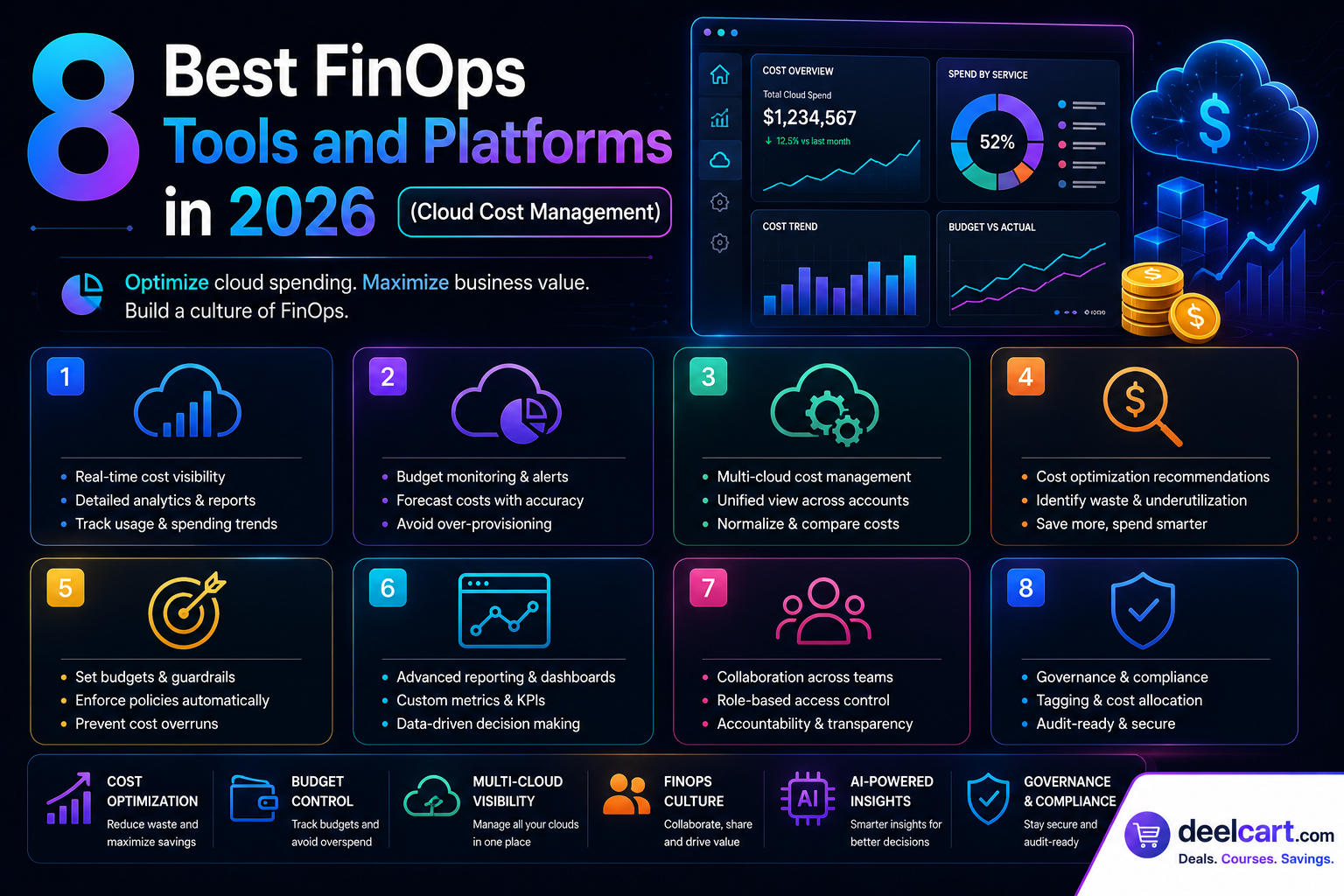
FinOps — the practice of bringing financial accountability to cloud operations — has become a critical discipline for any organisation running workloads in the cloud. And the right FinOps tool is what makes the difference between a team that understands and controls its cloud spend and one that gets a shocking bill at the end of every month.
This guide covers the 8 best FinOps tools and platforms available in 2026 — what each one does, who it is best for, and how to choose the right one for your organisation.
What Is FinOps and Why Do You Need a Tool for It?
FinOps is a cloud financial management practice that combines systems, best practices, and culture to help organisations understand their cloud costs, make data-driven spending decisions, and get maximum value from every dollar spent on cloud infrastructure.
Without a FinOps tool, most organisations face the same problems:
- No visibility: Engineers do not know how much their services cost to run
- No accountability: Cloud costs are not tied to specific teams, products, or business units
- Waste: Unused resources, oversized instances, and forgotten test environments accumulate
- Surprise bills: Monthly cloud invoices are unpredictable and hard to explain
- Missed savings: Reserved instance and savings plan opportunities go unclaimed
1. CloudHealth by VMware — Best Enterprise FinOps Platform
Developer: VMware (Broadcom) Price: Custom enterprise pricing Best for: Large enterprises running multi-cloud environments
CloudHealth is one of the most mature and comprehensive FinOps platforms available. It provides deep visibility into cloud costs across AWS, Azure, Google Cloud, and Kubernetes — making it the go-to choice for large enterprises managing complex multi-cloud environments.
CloudHealth goes beyond simple cost reporting. It combines cost management with governance, security posture management, and performance optimisation in a single platform — giving engineering, finance, and security teams a unified view of their cloud environment.
Key features:
- Multi-cloud cost visibility: Unified dashboard across AWS, Azure, GCP, and Kubernetes
- Cost allocation: Tag-based cost attribution to teams, projects, and business units
- Rightsizing recommendations: Identifies oversized instances and suggests downgrades
- Reserved instance management: Tracks RI coverage and identifies purchase opportunities
- Budgets and alerts: Set spending budgets by team or project with automatic alerts
- Chargeback and showback: Allocate costs back to internal business units automatically
- Policy engine: Enforce governance rules — auto-terminate unused resources, enforce tagging
Get started: cloudhealthtech.com
---
2. Apptio Cloudability — Best for Financial Reporting and Chargeback
Developer: Apptio (IBM) Price: Custom pricing based on cloud spend Best for: Finance-led FinOps teams, enterprises with complex chargeback requirements
Apptio Cloudability is built specifically for the finance side of FinOps. Where some tools are engineering-first with financial reporting bolted on, Cloudability is financial-first — it excels at business mapping, chargeback, showback, and connecting cloud costs to business outcomes.
It is particularly strong for organisations that need to allocate cloud costs precisely to cost centres, departments, or clients and produce accurate financial reports for internal accounting or client billing.
Key features:
- True cost allocation: Maps cloud costs to business units with sophisticated allocation rules
- Chargeback automation: Automatically generates internal invoices for cloud consumption
- Unit economics: Calculate cost per customer, cost per transaction, or any other unit metric
- Budget forecasting: Predict future cloud spend based on historical trends and growth rates
- Anomaly detection: Alerts on unexpected cost spikes before they become a problem
- Executive dashboards: Board-level views of cloud spend tied to business metrics
- Kubernetes cost visibility: Granular container-level cost attribution
Get started: apptio.com/products/cloudability
---
3. AWS Cost Explorer — Best Native Tool for AWS-First Teams
Developer: Amazon Web Services Price: Free basic access, $0.01 per API request for programmatic access Best for: Teams running primarily on AWS who want a free starting point
AWS Cost Explorer is Amazon's built-in cost management tool and the natural starting point for any team running workloads primarily on AWS. It is free to access in the AWS Console and provides solid visibility into your AWS spending without requiring any third-party tool.
While it lacks the multi-cloud support and advanced features of dedicated FinOps platforms, AWS Cost Explorer is genuinely useful for organisations that have not yet reached the scale where a paid platform is justified.
Key features:
- Cost and usage reports: Visualise spending by service, region, account, and tag
- Reserved instance recommendations: Suggests RI purchases based on your usage patterns
- Savings plans recommendations: Identifies savings plan opportunities for compute spend
- Cost anomaly detection: Machine learning-based alerts on unexpected spending spikes
- Forecasting: Predicts future spend based on historical usage patterns
- Rightsizing recommendations: Suggests instance size changes to reduce compute costs
- Cost allocation tags: Break down costs by any tag applied to your resources
- AWS only — no visibility into Azure, GCP, or other clouds
- Limited chargeback and showback capabilities
- No cross-account governance or policy enforcement
Get started: aws.amazon.com/aws-cost-management/aws-cost-explorer
---
4. Spot by NetApp — Best for Automated Cloud Cost Optimisation
Developer: NetApp Price: Percentage of savings generated (typically 20-25% of savings) Best for: Engineering teams who want automated cost optimisation without manual analysis
Spot by NetApp takes a different approach to FinOps. Instead of just showing you where you are wasting money, it automatically optimises your cloud infrastructure in real time — moving workloads to spot instances, rightsizing automatically, and managing reserved instance portfolios on your behalf.
Its pricing model is unique: Spot charges a percentage of the savings it generates, meaning you only pay when it saves you money.
Key features:
- Spot instance management: Automatically runs workloads on spot/preemptible instances with intelligent interruption handling
- Elastigroup: Manages auto-scaling groups using a mix of spot, reserved, and on-demand capacity
- Ocean: Kubernetes cost optimisation — automatically rightsizes containers and uses spot instances
- Reserved instance management: Automatically manages your RI portfolio for maximum coverage
- Savings analysis: Shows exactly how much Spot has saved versus on-demand pricing
- Multi-cloud support: Works across AWS, Azure, and GCP
Get started: spot.io
---
5. Infracost — Best FinOps Tool for Engineering Workflows
Developer: Infracost Inc. Price: Free open source, paid cloud plans available Best for: Engineering teams who want cost visibility in their development workflow
Infracost is unique among FinOps tools — instead of analysing costs after infrastructure is deployed, it shows engineers the cost impact of infrastructure changes before they are merged. It integrates with Terraform and pulls cost estimates directly into pull requests.
When an engineer opens a PR that adds a new RDS instance or increases an EC2 instance size, Infracost automatically comments on the PR showing the estimated monthly cost impact. This brings cost awareness directly into the development workflow where decisions are actually made.
Key features:
- PR cost comments: Automatically adds cost estimates to pull requests in GitHub, GitLab, and Bitbucket
- Terraform support: Works with any Terraform-managed infrastructure
- Cost policies: Block or flag PRs that exceed defined cost thresholds
- Team dashboard: Central view of cost estimates across all repositories
- CI/CD integration: Works with GitHub Actions, GitLab CI, CircleCI, and more
- Multi-cloud: Supports AWS, Azure, and GCP resource pricing
- Open source: Core functionality is free and open source
Get started: infracost.io
---
6. Kubecost — Best FinOps Tool for Kubernetes Cost Management
Developer: Kubecost (Stackwatch) Price: Free for single cluster, paid plans from $299/month Best for: Teams running Kubernetes who need container-level cost visibility
Kubernetes cost management is notoriously difficult. Shared clusters run multiple applications from multiple teams, making it hard to attribute costs accurately. Kubecost solves this by providing real-time cost visibility at the namespace, deployment, pod, and container level.
It runs inside your Kubernetes cluster and gives every team precise visibility into what their workloads actually cost — broken down by CPU, memory, storage, and network consumption.
Key features:
- Real-time cost monitoring: Cost visibility updated every few minutes
- Namespace and label attribution: Allocate costs to teams, services, or any Kubernetes label
- Cost efficiency score: Identifies over-provisioned pods and namespaces
- Rightsizing recommendations: Suggests CPU and memory request adjustments
- Savings insights: Identifies spot instance and reserved capacity opportunities
- Multi-cluster support: Manage costs across multiple Kubernetes clusters
- Alerts: Budget alerts by namespace, team, or deployment
Get started: kubecost.com
---
7. Harness Cloud Cost Management — Best for DevOps-Integrated FinOps
Developer: Harness Price: Free tier available, paid plans from $250/month Best for: DevOps teams using Harness for CI/CD who want integrated cost management
Harness Cloud Cost Management (CCM) is part of the broader Harness platform — a complete software delivery platform covering CI/CD, feature flags, chaos engineering, and cost management. If your team already uses Harness for deployments, CCM integrates cost data directly into your delivery workflows.
Its AI-powered recommendations and anomaly detection are among the most sophisticated available, and its AutoStopping feature automatically shuts down idle cloud resources — particularly useful for dev and test environments that are left running overnight.
Key features:
- AutoStopping: Automatically stops idle resources based on traffic and usage patterns
- AI cost recommendations: Machine learning-based rightsizing and reservation suggestions
- Anomaly detection: AI-powered alerts on unusual spending patterns
- Cost visibility: Multi-cloud cost dashboard across AWS, Azure, and GCP
- Kubernetes cost management: Container and pod-level cost attribution
- Budget governance: Set budgets with enforcement actions
- Pipeline cost integration: See the cost impact of deployments in your CI/CD pipeline
Get started: harness.io/products/cloud-cost-management
---
8. OpenCost — Best Open Source FinOps Tool for Kubernetes
Developer: CNCF (Cloud Native Computing Foundation) Price: Free and open source Best for: Technical teams who want free, self-hosted Kubernetes cost monitoring
OpenCost is a CNCF sandbox project and the open source standard for Kubernetes cost monitoring. It provides real-time cost allocation for Kubernetes workloads and can be deployed entirely within your own infrastructure at no cost.
For technical teams comfortable with self-hosting who do not want to pay for a commercial Kubernetes cost tool, OpenCost is the obvious starting point — and it integrates with Prometheus and Grafana for visualisation.
Key features:
- Real-time cost allocation: Kubernetes cost visibility by namespace, pod, and container
- Multi-cloud pricing: Accurate cost data for AWS, Azure, GCP, and on-premises
- Prometheus integration: Expose cost metrics to your existing Prometheus setup
- Grafana dashboards: Pre-built Grafana dashboards for cost visualisation
- REST API: Query cost data programmatically for custom integrations
- CNCF project: Vendor-neutral, community-maintained, and free forever
Get started: opencost.io
---
Which FinOps Tool Should You Choose?
| Your Situation | Best Choice |
|---|---|
| Large enterprise, multi-cloud | CloudHealth by VMware |
| Complex chargeback and financial reporting | Apptio Cloudability |
| AWS-only, getting started for free | AWS Cost Explorer |
| Automated cost optimisation | Spot by NetApp |
| Cost visibility in pull requests | Infracost |
| Kubernetes cost management (paid) | Kubecost |
| DevOps-integrated cost management | Harness CCM |
| Free open source Kubernetes cost tool | OpenCost |
For most organisations just starting their FinOps journey, the recommended path is:
1. Start free with AWS Cost Explorer or OpenCost to build baseline visibility 2. Add Infracost to bring cost awareness into your engineering workflow 3. Graduate to a dedicated platform like CloudHealth or Cloudability as your cloud spend and team complexity grows
How Much Can FinOps Tools Save?
According to the FinOps Foundation's State of FinOps report, organisations that adopt FinOps practices and tooling typically reduce their cloud waste by 20 to 30% in the first year. For a team spending $500,000 per year on cloud infrastructure, that is $100,000 to $150,000 in annual savings — far outweighing the cost of any FinOps tool.
Common sources of savings identified by FinOps tools:
- Idle resources: Unused EC2 instances, unattached storage volumes, forgotten load balancers
- Oversized instances: Instances running at 5 to 10% CPU utilisation that can be downsized
- Reserved instance gaps: Workloads running on expensive on-demand pricing that qualify for reservations
- Dev and test environments: Non-production environments left running 24/7 instead of being stopped overnight
- Data transfer costs: Unexpected inter-region or egress costs that are easy to miss
Frequently Asked Questions
What is the difference between FinOps and cloud cost management?
Cloud cost management is the practice of monitoring and reducing cloud spending. FinOps is broader — it is a cultural and organisational practice that brings together engineering, finance, and business teams to make collaborative decisions about cloud investment. FinOps tools support both, but FinOps as a discipline goes beyond just reducing costs to maximising business value from cloud spending.
Do I need a FinOps tool if I only use one cloud provider?
Not necessarily at small scale. AWS, Azure, and GCP all provide native cost management tools that are sufficient for small teams. As your spend grows and your team scales, dedicated FinOps tools provide significantly better cost allocation, governance, and optimisation capabilities.
How long does it take to implement a FinOps tool?
Most cloud-based FinOps tools connect to your cloud accounts via read-only API access and start showing data within hours. Full implementation — including cost allocation, tagging, budget setup, and team onboarding — typically takes 2 to 4 weeks. Enterprise deployments with complex chargeback requirements can take longer.
What is the ROI of FinOps tooling?
The FinOps Foundation reports that most organisations achieve 3 to 5x ROI on FinOps tooling investment within the first year through waste reduction and optimisation. Tools like Spot by NetApp and Harness CCM often pay for themselves within the first month through automated savings.
Is FinOps only for large enterprises?
No. FinOps practices and tools benefit organisations of all sizes. Startups and small businesses can start with free tools like AWS Cost Explorer and OpenCost and adopt more sophisticated platforms as their cloud spend grows. The principles of cost visibility, accountability, and optimisation apply at any scale.
Justin is a self-taught developer who builds and runs DeelCart himself — from the articles to the server it runs on. He manages his own Linux infrastructure and writes guides based on tools and workflows he actually uses day to day.