Building a Smart Internal Linking System for a Large Content Site (1,500+ Pages)
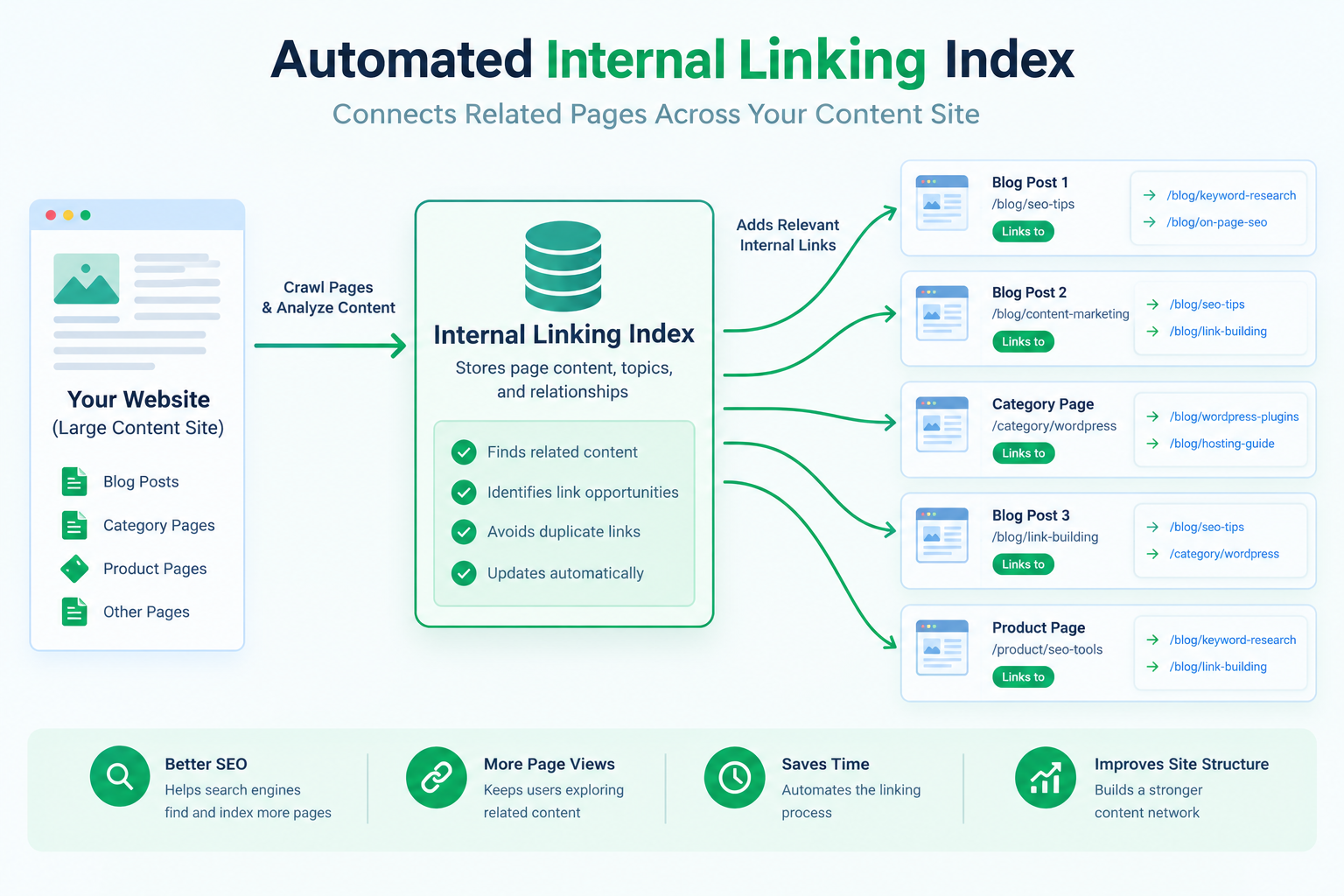
The Problem With Manual Internal Linking at Scale
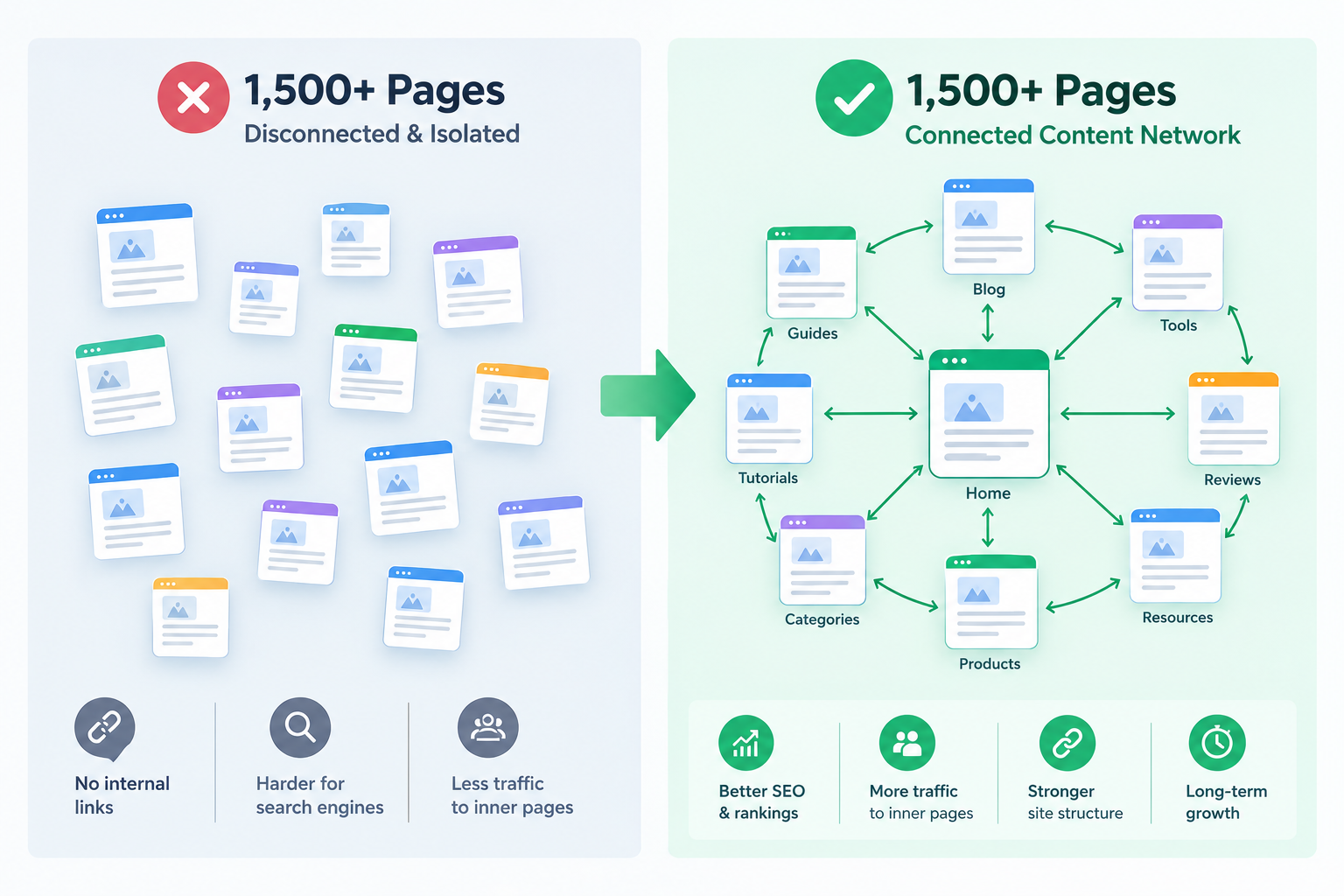
At a small scale — a few dozen pages — manual internal linking is manageable. You remember roughly what you've written about, and adding a link while writing a new page takes a few seconds. That breaks down completely past a few hundred pages, for a few reasons:
- You can't hold 1,500 page topics in your head well enough to know what's relevant to link
- New pages get added on a schedule, and going back to retroactively link older content to newer content never actually happens in practice
- A page written six months ago has no way of "knowing" that ten new, highly relevant pages have been published since
The Core Idea: Build an Index, Then Match Against It
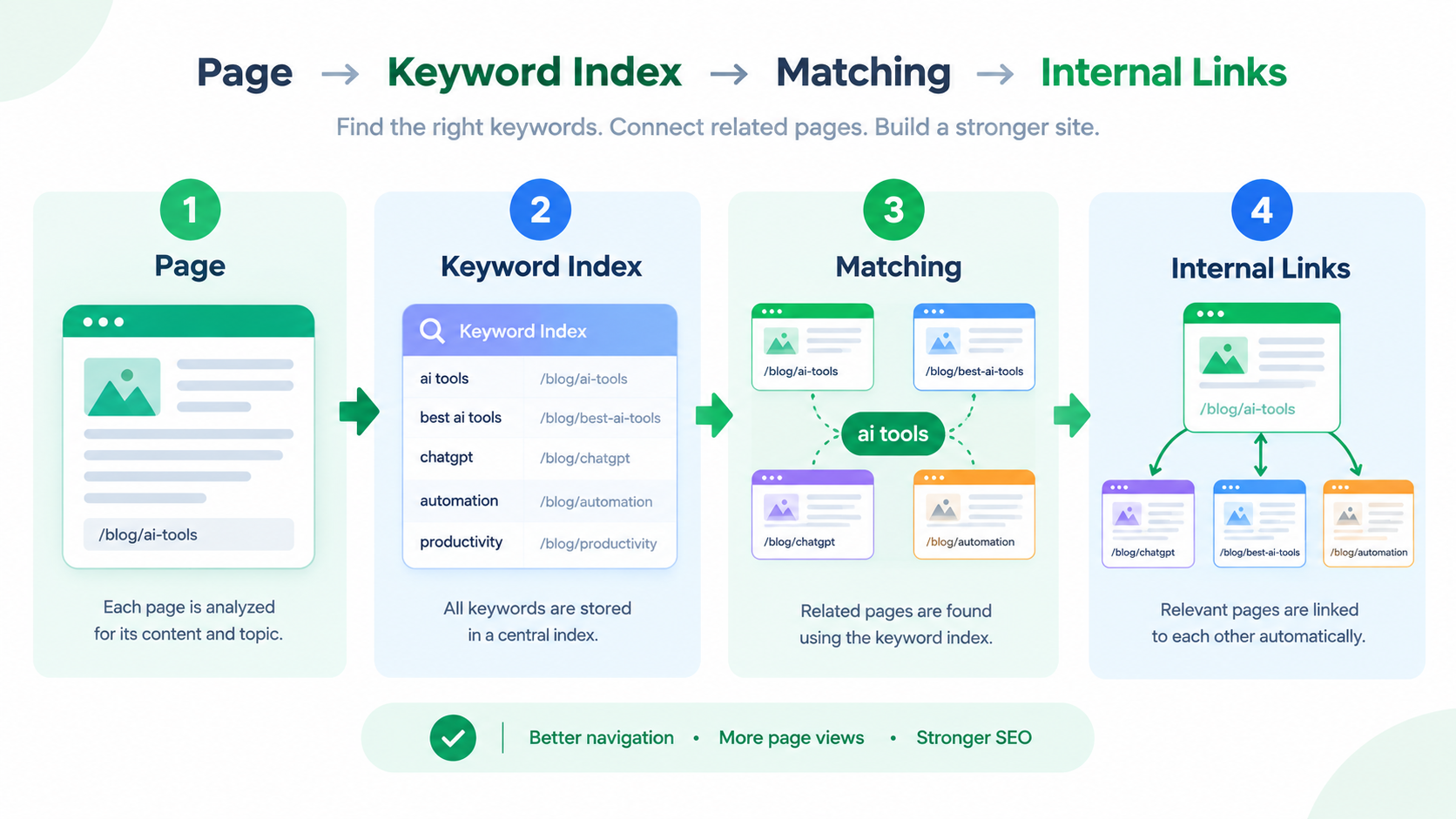
The system has two separate jobs that run at different times:
- Indexing — periodically build a lightweight index of every published page: its title, its slug/URL, and a set of key terms extracted from it (category, tags, and significant words from the title).
- Matching — when rendering a page (or when a new page is published), scan its content for terms that match entries in the index, and turn the first occurrence of each matched term into a link to the most relevant matching page.
Step 1: Build the Index
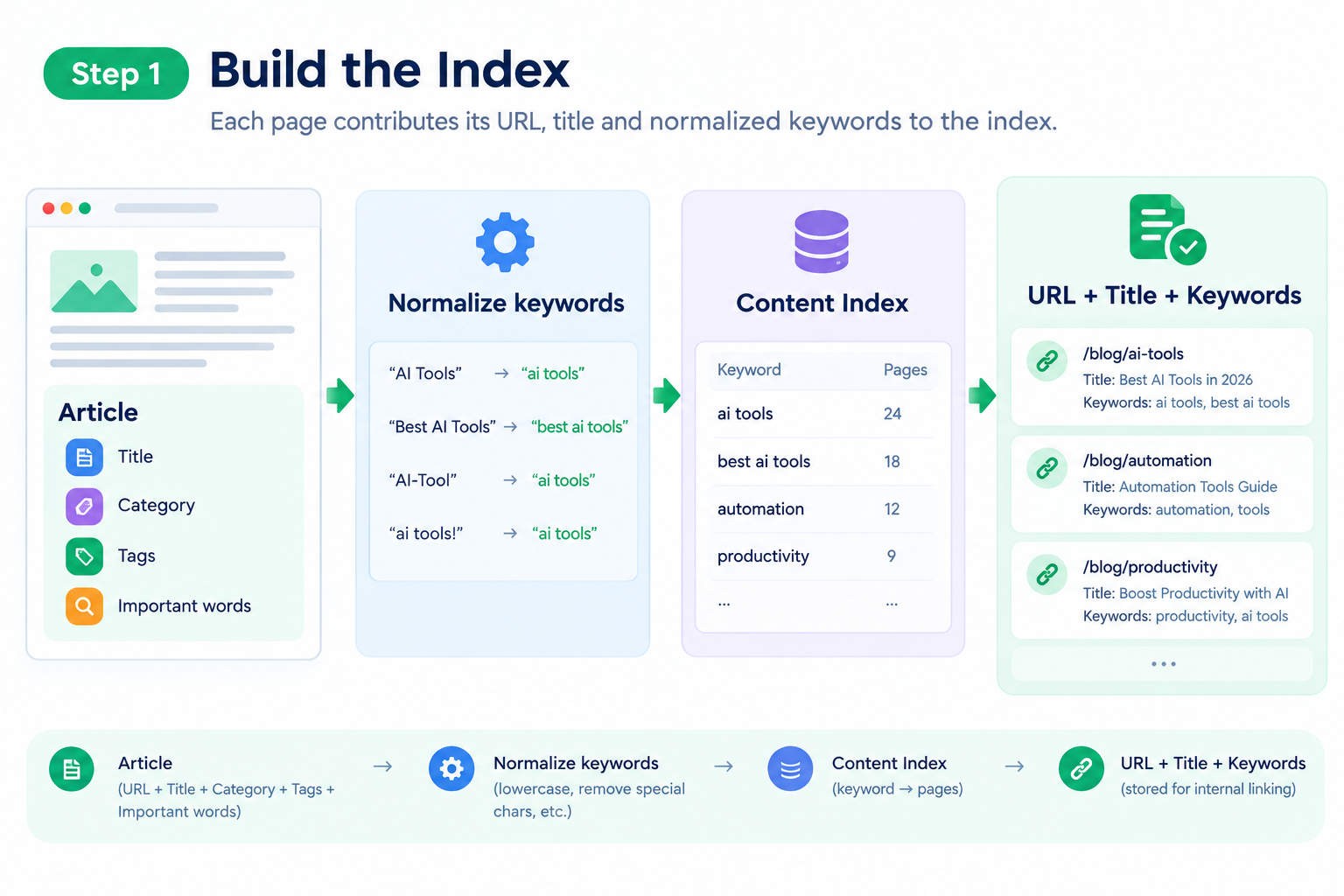
The index is just a flat list of lightweight entries — you don't need a full search engine for this, just enough structure to match against. For each published page, I extract:
- The URL/slug
- The title
- A normalized set of keywords: the category, any tags, and the significant words from the title (with common stopwords like "the," "a," "how," "with" filtered out)
// simplified indexing logic
function buildIndexEntry(page) {
  const titleWords = page.title
    .toLowerCase()
    .replace(/[^\w\s]/g, '')
    .split(' ')
    .filter(word => word.length > 3 && !STOPWORDS.has(word));

  return {
    url: `/blog/${page.slug}`,
    title: page.title,
    keywords: new Set([
      ...titleWords,
      ...(page.tags || []).map(t => t.toLowerCase()),
      page.category?.toLowerCase(),
    ].filter(Boolean)),
  };
}Step 2: Match Content Against the Index
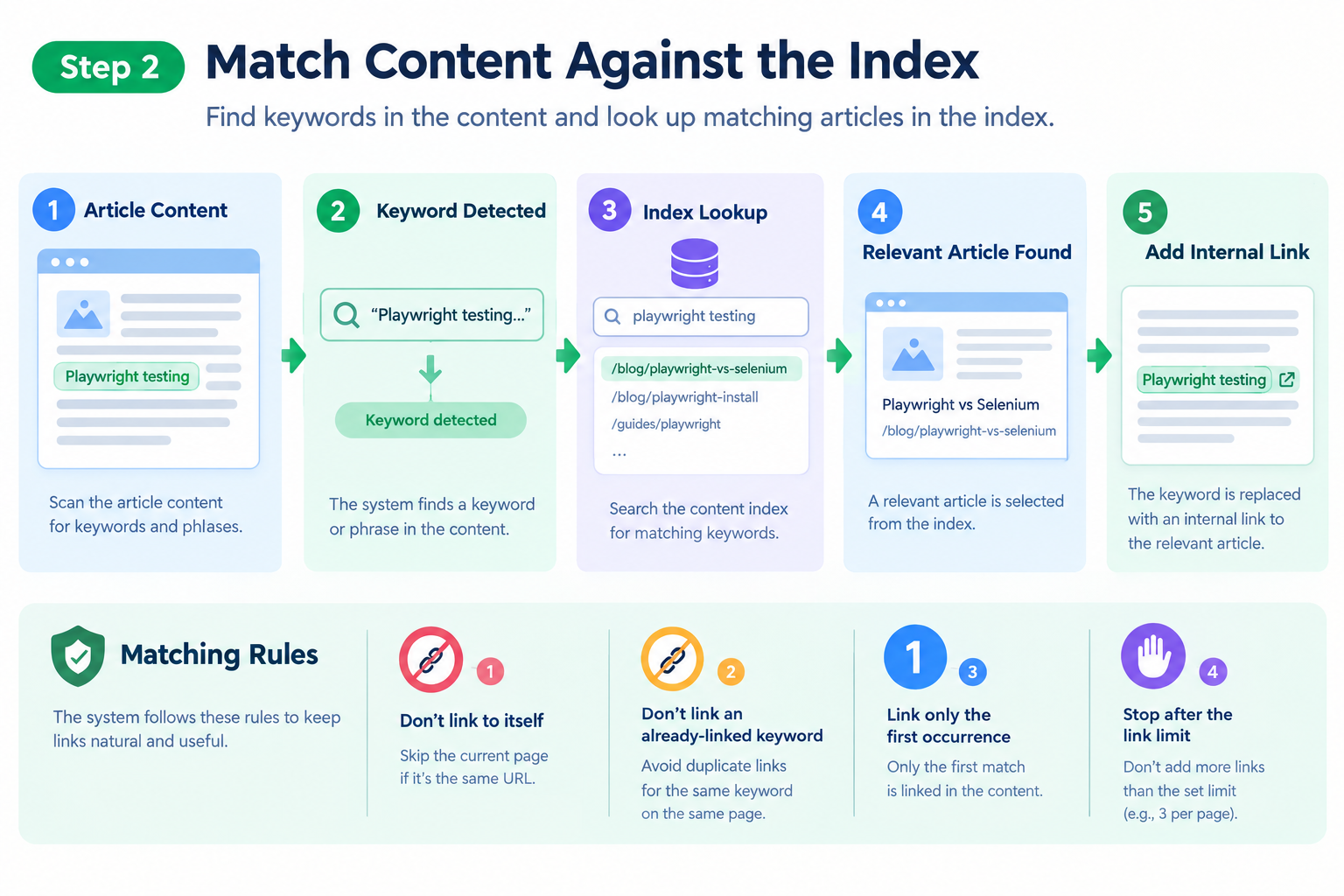
When rendering a page's content, the matching step scans the page's text for any keyword that exists in another page's index entry, and replaces the first occurrence of that term with a link. The "first occurrence only" rule is important for two reasons: it avoids turning a page into a wall of blue links (which is both ugly and looks manipulative to a reader — and to search engines), and it keeps the matching logic simple, since you don't need to track how many times you've already linked a given term across a long article.
function interlinkContent(html, index, currentUrl) {
  const linked = new Set(); // terms already linked in this page

  for (const entry of index) {
    if (entry.url === currentUrl) continue; // never link a page to itself

    for (const keyword of entry.keywords) {
      if (linked.has(keyword)) continue;

      const regex = new RegExp(`\\b(${escapeRegex(keyword)})\\b`, 'i');
      if (regex.test(html) && !isInsideExistingLink(html, keyword)) {
        html = html.replace(regex, `<a href="${entry.url}">$1</a>`);
        linked.add(keyword);
        break; // one link per matched page, then move to the next index entry
      }
    }
  }

  return html;
}isInsideExistingLink check matters more than it might look — without it, the system will happily wrap a keyword in a link even if that exact text is already inside an <a></a> tag from a different link, producing broken nested markup. This was the first real bug I hit: a page linking to itself in a slightly different way, or double-wrapping a word that was already part of a manually placed link.
Step 3: Set Sensible Limits
Without limits, this system will over-link long pages — a 2,000-word article can easily contain enough keyword matches to end up with thirty or more automatic links, which looks spammy and dilutes the value of any individual link. A few limits I apply:- A maximum number of auto-inserted links per page (I cap this in the low double digits) — once the cap is hit, matching stops even if more valid keyword matches exist
- A minimum keyword length — very short or overly generic words don't get indexed, since they'd match too broadly and produce low-relevance links
- Never linking a page to itself, and never re-linking a keyword that's already been linked earlier in the same piece of content
Step 4: When to Rebuild the Index
The index needs to be rebuilt whenever the set of published pages changes meaningfully — a new page is published, an old page is unpublished, or a page's category/tags change. Rebuilding on every single content change is unnecessary overhead; I rebuild it on a schedule (every few hours) combined with a manual trigger available for when I publish something I want interlinked immediately rather than waiting for the next scheduled run. For a site of 1,500+ pages, a full rebuild takes a small fraction of a second, since it's just iterating over lightweight metadata rather than full page content — the heavy lifting (extracting keywords from full article bodies) only needs to happen once per page, when a page is created or edited, not on every index rebuild.Where This Approach Breaks Down
This system works well for a content site with a reasonably clear topical structure — categories and tags that meaningfully describe what a page is about. It works less well in a few situations worth knowing about before building something similar:- Very short pages (under a couple hundred words) often don't have enough distinctive keyword content to match well against the index, and can end up either unlinked or matched on overly generic terms
- Near-duplicate pages (two pages covering almost the same narrow topic) will tend to link to each other constantly and crowd out links to more distantly related but still useful pages
- A purely keyword-based match has no real understanding of meaning — it can produce a technically correct keyword match that isn't actually the most relevant page for a reader. A more advanced version could use embeddings/semantic similarity instead of literal keyword matching, at the cost of meaningfully more infrastructure (a vector store, an embedding step per page) — for a single-person-run site, the added complexity hasn't been worth it so far given the keyword approach performs well enough.
Frequently Asked Questions
Does this replace manual internal linking entirely?
No — I still add manual links by hand when writing a piece where I know exactly which other page I want to send a reader to, especially for a genuinely important connection. The automated system is a baseline that ensures a reasonable level of interlinking exists everywhere, not a replacement for editorial judgment on the pages that matter most.How is this different from a "related posts" widget at the bottom of an article?
A related-posts widget surfaces a handful of links in one block, usually based on shared category or tags, and a reader has to actually notice and click into that block. In-content linking places the link at the exact point in the text where the related topic is mentioned, which both reads more naturally and, from an SEO perspective, gives search engines a much clearer topical association than a generic "you might also like" block.Can this cause duplicate or over-optimized anchor text issues?
It can, if you're not careful — using the exact same keyword as anchor text across many pages pointing to the same target is a pattern worth avoiding. Varying which keyword gets matched (rather than always linking the literal page title) and capping how many links point to any single page from the same set of source pages helps keep the link profile looking natural rather than mechanically repetitive.Is this worth building for a smaller site — say, under 100 pages?
Probably not as a full automated system. At under 100 pages, manually cross-linking related content while you write is genuinely faster than building, testing, and maintaining an indexing and matching pipeline. This becomes worth the investment once manual linking stops being realistic to keep up with — for me, that threshold was somewhere in the low hundreds of pages.Further Reading
Justin is a self-taught developer who builds and runs DeelCart himself — from the articles to the server it runs on. He manages his own Linux infrastructure and writes guides based on tools and workflows he actually uses day to day.