How to Configure Custom Log Rotation for PM2 to Prevent VPS Disk Storage Bloat
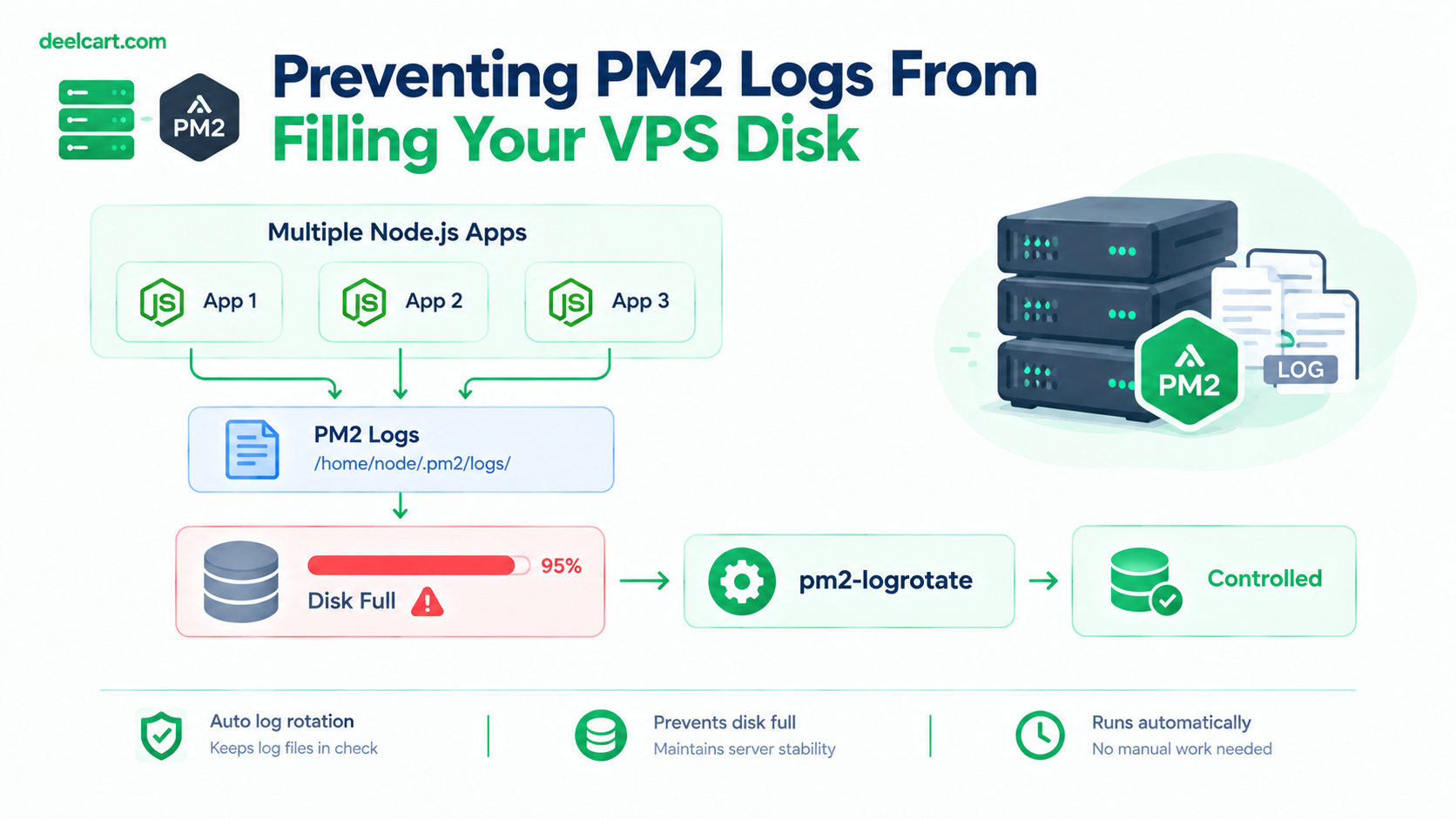
How This Actually Bites You
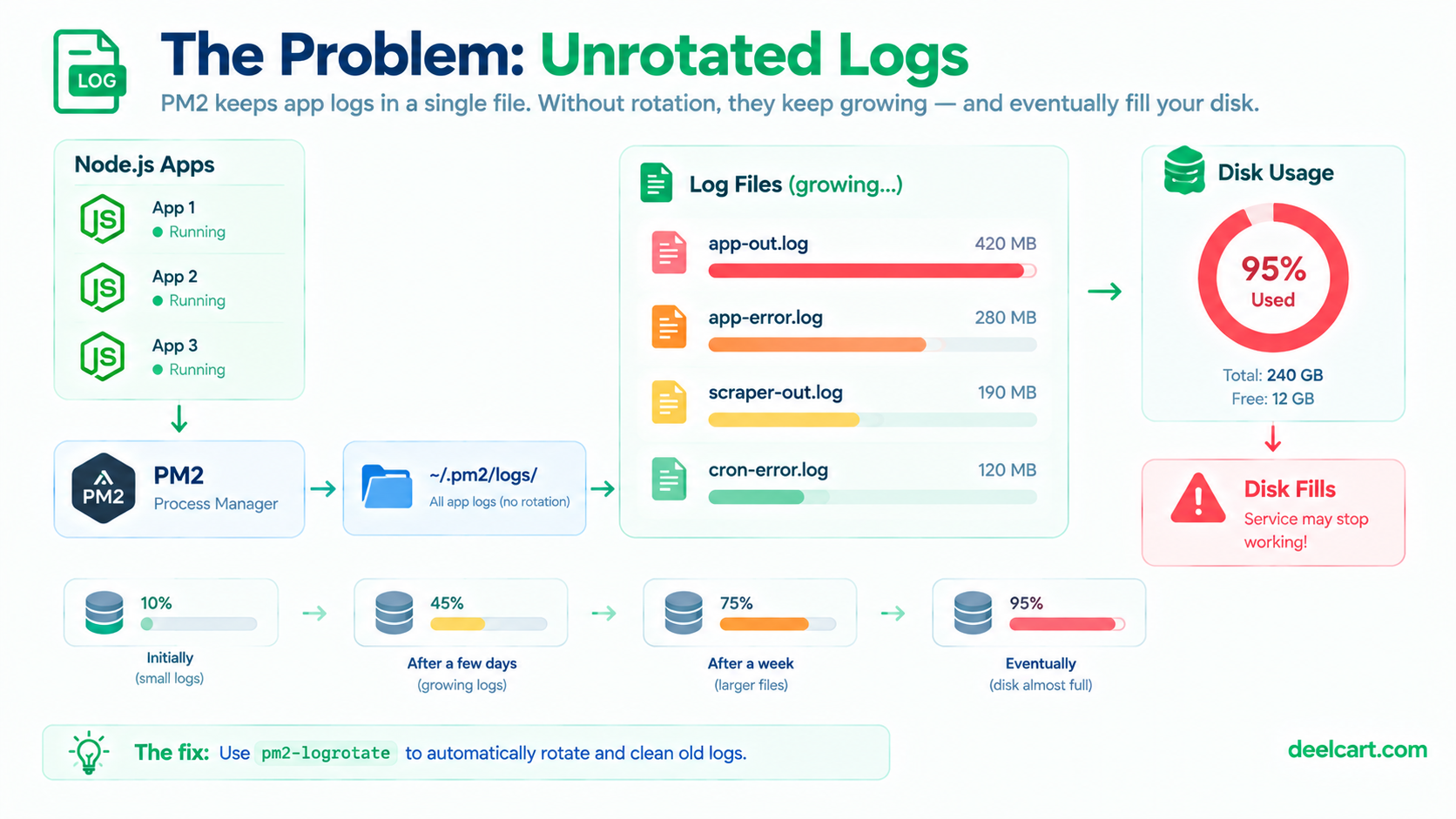
PM2 writes each app's stdout and stderr to separate files under ~/.pm2/logs/, named after the app — myapp-out.log and myapp-error.log. Every single line the process prints goes into that file, appended forever, with nothing built in to cap the size or clean up old entries.
The failure mode isn't dramatic until suddenly it is: disk usage climbs slowly and invisibly for weeks or months, then something unrelated fails — a database write, a new deployment, a temp file write — because the disk is actually full. At that point you're debugging a confusing downstream failure instead of the actual root cause, which is a handful of log files nobody was watching.
Checking whether this is already a problem takes one command:
du -sh ~/.pm2/logs/* | sort -rh | head -10This lists your PM2 log files sorted largest first. If anything here is measured in hundreds of megabytes or more, unrotated logging is already costing you real disk space.
The Fix: pm2-logrotate
PM2 has an official module for this — pm2-logrotate — that handles size-based rotation, compression of old logs, and automatic pruning of anything past a retention limit. It's not enabled by default; it has to be installed explicitly:
pm2 install pm2-logrotateOnce installed, it runs as its own PM2-managed module and applies to every app PM2 manages on that server — you don't configure it per-app, it's a global policy across all your processes.
Configuring It Properly
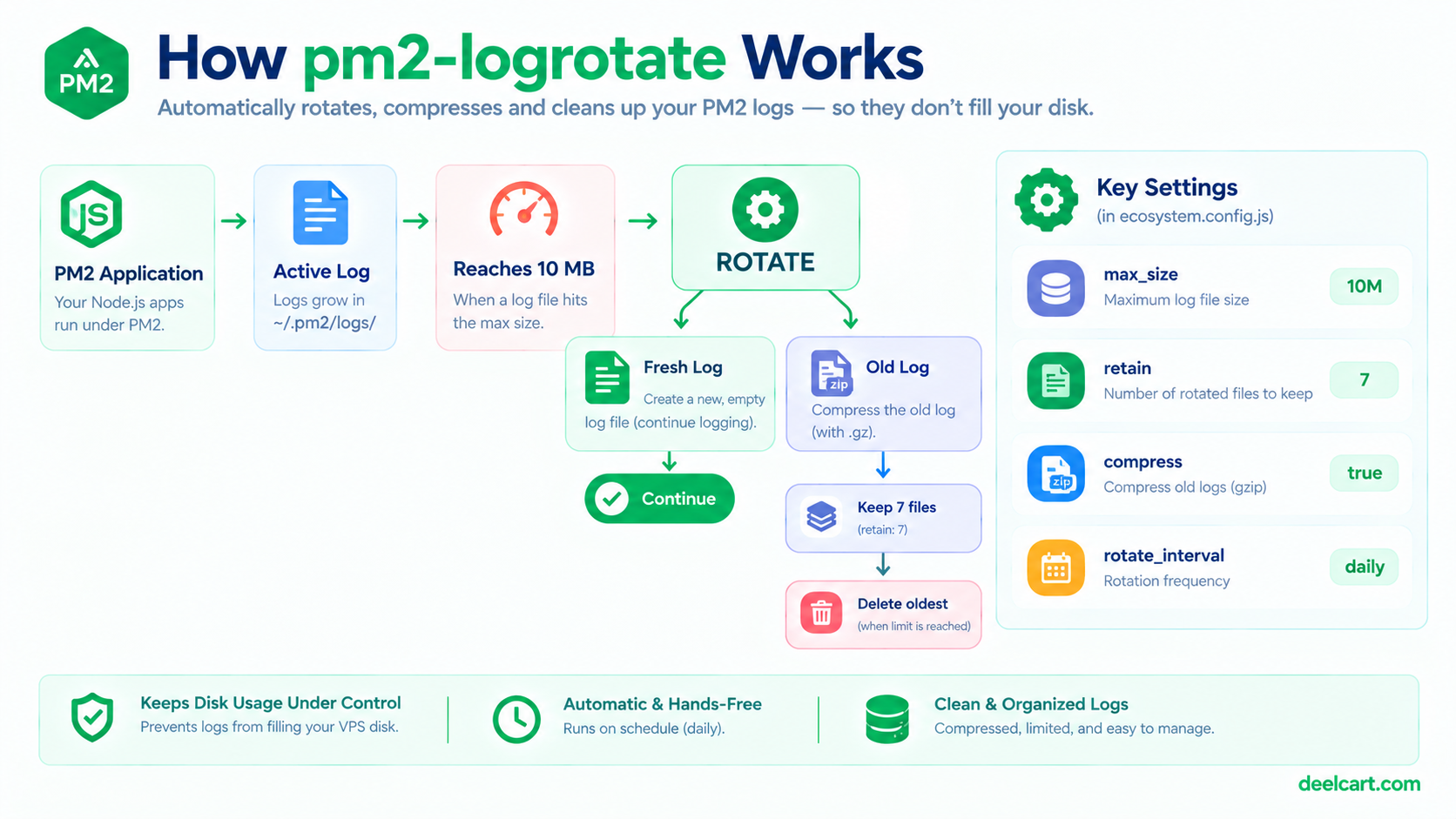
The defaults are reasonable but worth tuning for your actual situation rather than leaving untouched. Here's the configuration I run, with what each setting actually does:
# Rotate once a log file hits this size
pm2 set pm2-logrotate:max_size 10M

# Keep this many rotated (old) log files before deleting the oldest
pm2 set pm2-logrotate:retain 7

# Compress rotated logs with gzip instead of keeping them as plain text
pm2 set pm2-logrotate:compress true

# How often to check whether rotation is needed
pm2 set pm2-logrotate:workerInterval 30

# Also rotate on a time-based schedule, not just size
pm2 set pm2-logrotate:rotateInterval '0 0 * * *'

# Timestamp format used in rotated file names
pm2 set pm2-logrotate:dateFormat 'YYYY-MM-DD_HH-mm-ss'
A few of these are worth explaining rather than just copying blindly:
max_size is the primary control — once any single log file crosses this size, it gets rotated (renamed, and a fresh file started). 10M is a reasonable default for a low-to-moderate traffic app; a noisier app (heavy scrape/cron logging, for instance) might warrant a smaller cap so rotation happens more frequently rather than letting one file grow large between rotations.
retain controls how many old, rotated files stick around before the oldest gets deleted entirely. This is your actual disk-usage ceiling in combination with maxsize — retain: 7 with maxsize: 10M means, roughly, each app's logs are bounded to somewhere around 70MB total across current and retained files, not unlimited.
compress matters more than it might seem — gzip typically shrinks log text substantially, so enabling this meaningfully reduces how much disk your retained history actually consumes for the same retain count.
rotateInterval adds a time-based trigger alongside the size-based one — useful because a low-traffic app might never hit max_size naturally, and you may still want daily rotation regardless of size, so log files stay organized by day even for quiet apps.
Verifying It's Actually Working
After configuring, don't just assume it's applied correctly — check the module's own status and confirm settings landed as expected:
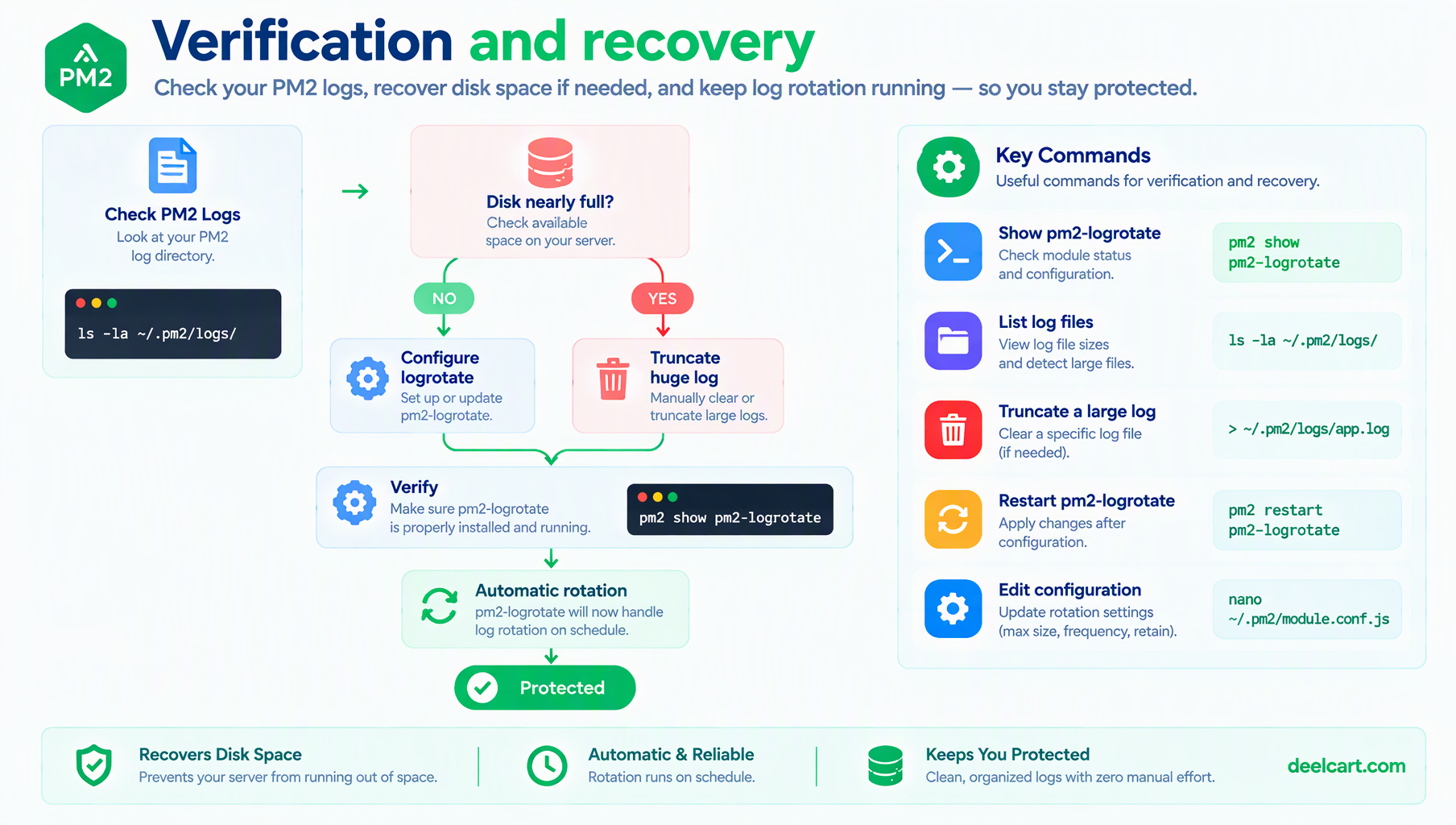
pm2 show pm2-logrotateThis shows the module's current configuration values, which is worth checking against what you actually set — a typo in a pm2 set command fails silently rather than throwing an error you'd notice.
Genuinely confirming rotation works means letting it run and checking back:
ls -la ~/.pm2/logs/After enough time (or enough log volume) to trigger a rotation, you should see rotated, timestamped, gzip-compressed files alongside the active log — that's the module working as intended.
What If the Disk Is Already Full?
Installing pm2-logrotate fixes the problem going forward; it doesn't retroactively shrink log files that already grew large before you set it up. If disk space is already a live problem, the fastest path back to a working server is to truncate the existing oversized files directly, without deleting them (which could disrupt a process that has the file open):
# truncates in place, the process keeps its open file handle
truncate -s 0 ~/.pm2/logs/myapp-out.log
This empties the file immediately without touching the running process, buying you disk space back right away while pm2-logrotate handles keeping it from happening again.
Frequently Asked Questions
Does pm2-logrotate affect application logs written outside of PM2's stdout/stderr capture?
No — this only rotates the files PM2 itself manages, which is whatever your app writes to stdout/stderr. If your application writes its own separate log files directly to disk (via a logging library writing to its own path), those need their own rotation setup — logrotate (the standard Linux utility, separate from PM2's module) handles that case well.
Will rotating logs lose data I might need for debugging later?
Rotation renames and eventually deletes old files past your retain count, so yes, sufficiently old logs are genuinely gone once they age out. Set retain based on how far back you realistically need to look when debugging something — for most personal or small-project use, a week or two of retained history is enough; a compliance or audit requirement would need much longer retention and possibly shipping logs somewhere external entirely.
Is 10M the right max_size for every app?
No — it depends entirely on how much your specific app actually logs. A quiet app that logs a few lines a day will rarely hit 10M regardless of the setting; a noisy one (verbose request logging, frequent cron output) might benefit from a smaller cap so rotation happens more often and no single file gets unwieldy between rotations.
Should I be shipping logs somewhere off the server instead of just rotating them locally?
For a small personal or small-business setup, local rotation with reasonable retention is often sufficient. Shipping logs to an external service becomes more worth the added complexity once you need centralized searching across multiple servers, longer retention than local disk can reasonably hold, or alerting based on log content rather than just keeping history around for manual review.
Justin is a self-taught developer who builds and runs DeelCart himself — from the articles to the server it runs on. He manages his own Linux infrastructure and writes guides based on tools and workflows he actually uses day to day.