AI Agent vs Chatbot: Key Differences and Examples (2026)
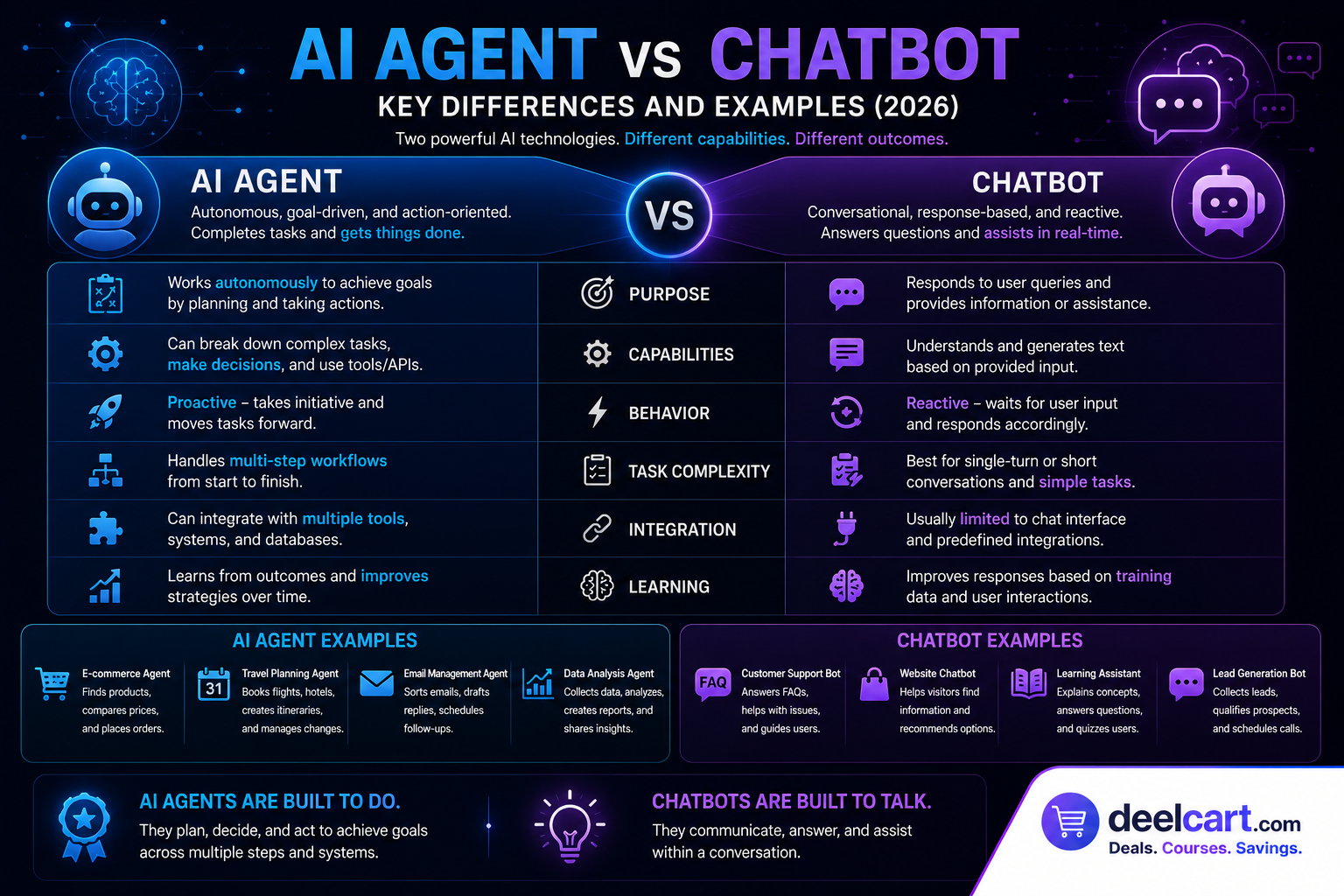
The short version: a chatbot responds to prompts. An AI agent pursues a goal, makes decisions, uses tools, and completes work.
This guide explains the difference in practical terms, gives real examples of each, and covers what comes after basic AI agents — a newer approach called agent-native architecture that is changing how AI is built into software.
What Is a Chatbot?
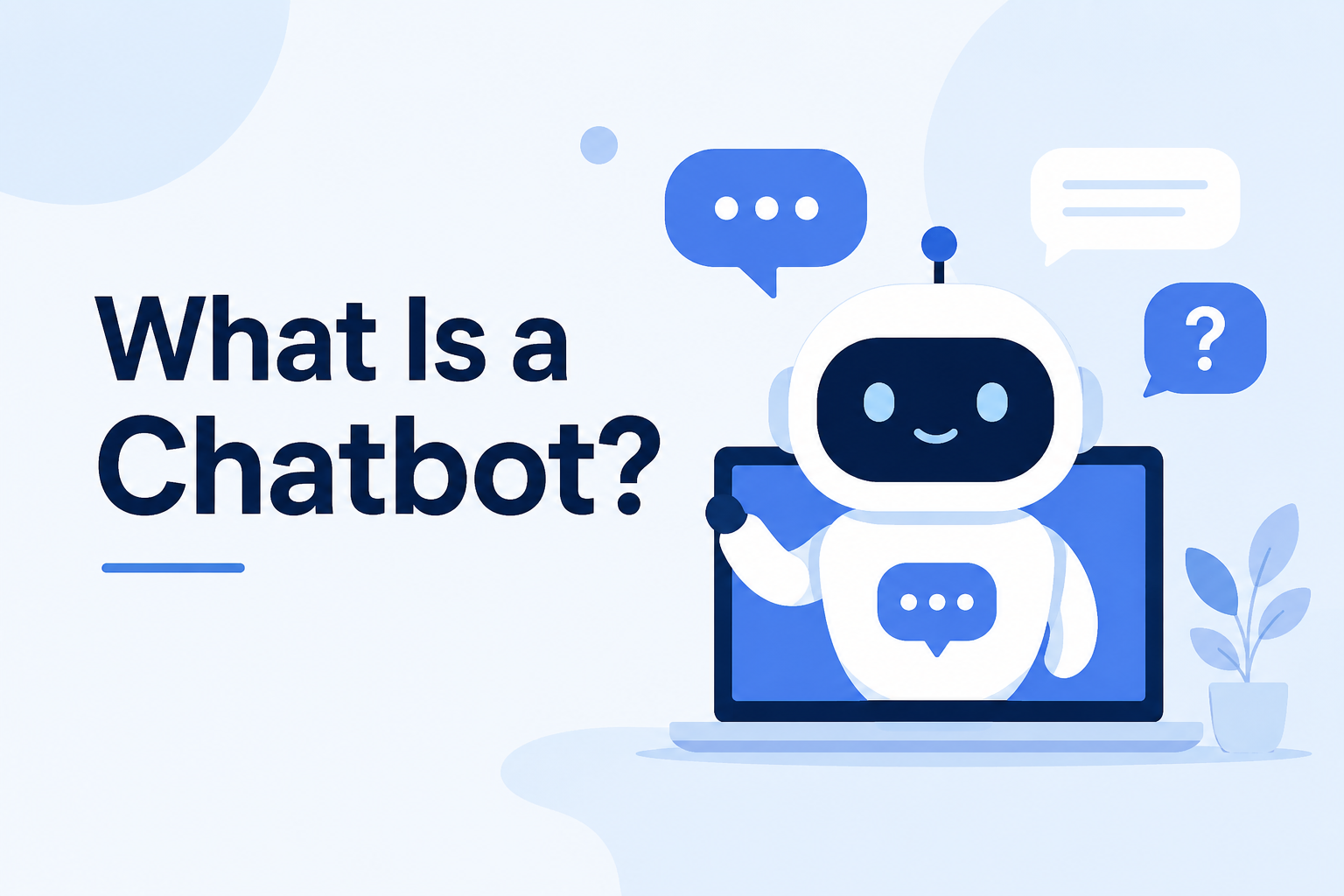
A chatbot is a conversational system. It receives a message and returns a response. The interaction is simple: you ask, it answers.
Chatbots can do useful things within that pattern — answer support questions, summarise documents, draft text, explain settings, or guide users through a simple flow. They are especially good when the correct output is information rather than a completed task.
Examples of chatbot behaviour:
- "What does this setting do?" → chatbot explains the setting
- "Summarise this email thread" → chatbot returns a summary
- "Help me write a follow-up message" → chatbot drafts a message
What Is an AI Agent?
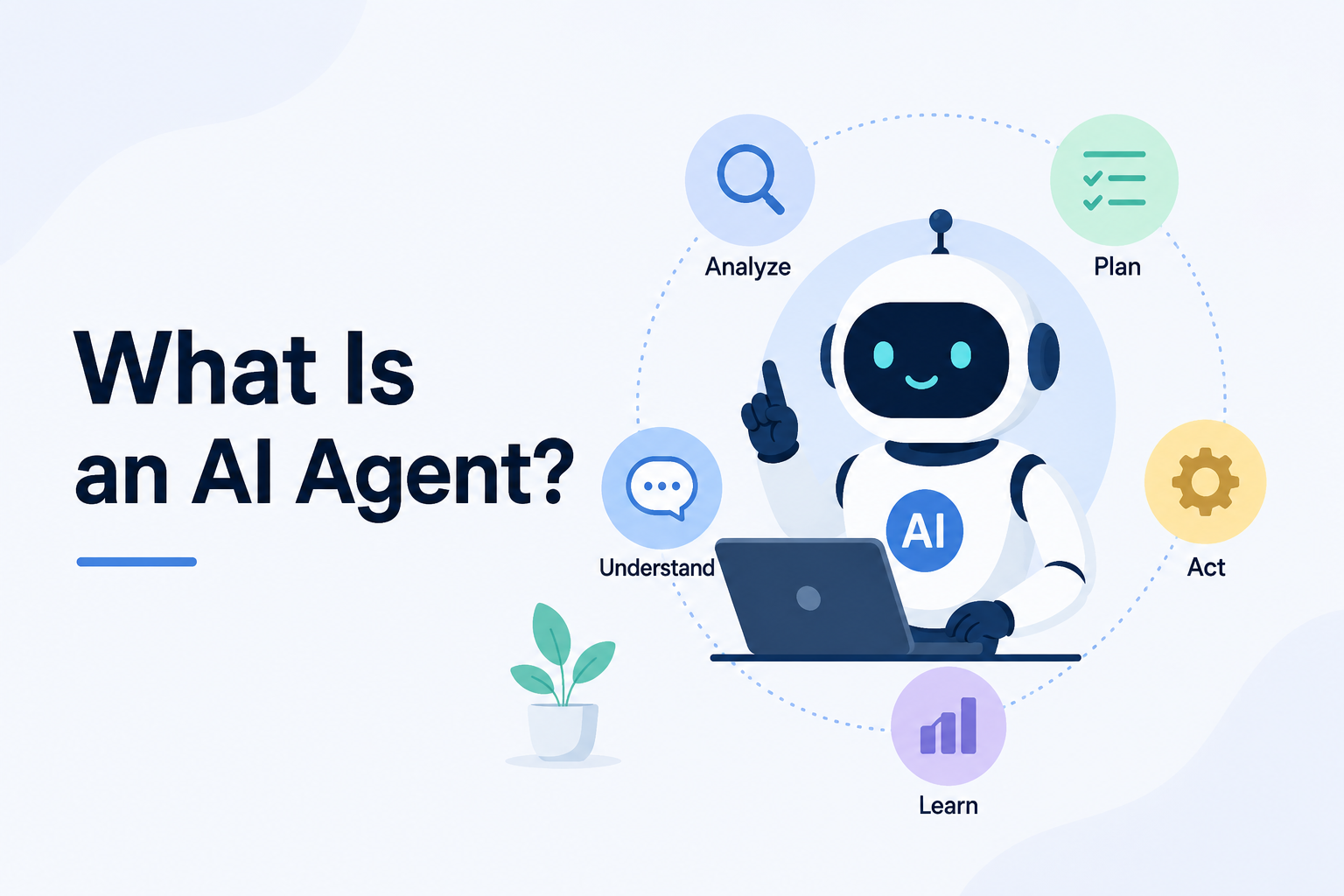
An AI agent is a goal-directed system. Instead of just responding to a single prompt, it can break a request into steps, inspect context, choose which tools to use, take actions, and adapt based on the results.
In a product context, the difference is whether the AI can move a workflow forward — or only talk about it.
Examples of AI agent behaviour:
- "Find the relevant messages, classify them, archive low-value items, draft responses, and ask for approval before sending" → agent handles the entire workflow
- "Change the query, apply filters, generate a new chart, save the dashboard, and share it with the right team" → agent executes each step in sequence
- "Implement this feature across the codebase, write tests, fix any failures, and open a pull request" → agent completes the task end to end
AI Agent vs Chatbot: Side-by-Side Comparison
| Dimension | Chatbot | AI Agent |
|---|---|---|
| Primary behaviour | Responds to user messages | Pursues a goal through steps |
| Typical output | Answers, summaries, drafts | Completed actions or prepared work |
| Autonomy | Low — waits for each prompt | Higher — can plan and continue within bounds |
| Context used | Chat history or pasted text | Task context, product state, tool results |
| Tools | Optional or narrow | Core to execution |
| State changes | Rare or indirect | Can create, update, route, publish, or delete |
| User role | User asks and interprets | User delegates, supervises, and approves |
Real-World Examples
Email Software
Chatbot approach: You ask the chatbot to summarise a thread or draft a reply. It gives you text. You copy it, paste it, send it yourself.
AI agent approach: You tell the agent to find relevant messages, classify them, apply labels, archive low-value items, draft responses, and flag anything that needs your approval before sending. The agent handles the entire workflow.
Analytics Software
Chatbot approach: You ask what a chart means. The chatbot explains it in plain English.
AI agent approach: You tell the agent to update the query, apply new filters, generate a revised chart, save the dashboard, and share it with the right team members. The agent executes each step.
Coding Tools
Chatbot approach: You ask how to implement a function. The chatbot explains the approach or suggests code you copy into your editor.
AI agent approach: You describe a feature. The agent reads the relevant files in your codebase, writes the implementation across multiple files, runs the tests, fixes any failures, and opens a pull request for your review.
The pattern is consistent: chatbots give you content to act on. Agents take the action.
Where AI Copilots Fit In
There is a third category worth understanding — AI copilots — because the term gets used loosely and it sits between chatbots and full agents.
An AI copilot assists a person inside a workflow. It is contextual and assistive rather than conversational or autonomous.
- A writing copilot suggests edits as you type
- A coding copilot autocompletes functions based on what you are writing
- A sales copilot drafts a follow-up email based on the CRM record you are viewing
An agent goes further — it can research, act, update, run checks, prepare the next step, and ask for approval when judgment is needed.
The three levels look like this:
- Chatbot: Conversational — responds to questions and prompts
- Copilot: Assistive — helps you work faster within a workflow
- Agent: Operational — executes workflows and completes tasks
Why Many "AI Agents" Still Feel Like Chatbots
You have probably used a product that was marketed as an AI agent but still felt like a chatbot. There is a specific reason this happens — and it is architectural, not just a model quality problem.
Most SaaS products were built for humans clicking through screens. An AI assistant was added later, bolted onto the side. That pattern creates a ceiling:
Limited action access: The AI has a small set of helper tools while the real product actions are buried in UI-specific code or internal endpoints never designed for delegated execution.
Missing state: The AI knows the conversation but not what the user is actually working on — the selected record, the active workflow step, or changes that already happened elsewhere.
No safety model: Real agents need product-level constraints — permissions, preview steps, approval gates, audit logs, and rollback paths. Products that rely too much on prompts for safety cannot safely give agents real capabilities.
No workflow continuity: The AI can handle one request but cannot keep working across a multi-step workflow until a goal is complete.
The result is a product that calls something an AI agent while users experience it as a smarter text box. The name changed. The software did not give the AI enough capability to actually act.
What Comes After Basic AI Agents: Agent-Native Architecture
Agent-native architecture is the next step. Instead of treating the agent as a feature added beside the product, it builds the product so humans and AI agents can operate the same underlying system.
In an agent-native application:
- Anything meaningful a human can do through the UI, the agent can also do through the same product capability
- The UI, agent, API, and automation layer all call the same shared actions — not four slightly different implementations that drift apart over time
- The agent has access to the same state and context the human is working with
- The agent operates inside the product's permission, approval, logging, and review model — powerful without bypassing the rules that make the product trustworthy
The difference between a basic AI agent and an agent-native product is the same as the difference between an employee who has access to a chat window and an employee who has full access to the company's systems within their role.
Chatbots Still Have a Clear Role
None of this means chatbots are obsolete. They are the right tool for specific jobs:
- Support triage and FAQ responses
- Documentation lookup and explanation
- Onboarding flows that guide new users
- Lightweight drafting and summarisation
- Conversational discovery — helping users figure out what they need
When someone asks "What does this setting do?" a chatbot is enough. When someone asks "Update these records, notify the owners, and prepare the renewal plan," they are expecting an agent.
Frequently Asked Questions
What is the main difference between an AI agent and a chatbot?
A chatbot responds to prompts and returns information. An AI agent pursues a goal, breaks it into steps, uses tools, takes actions, and adapts based on results. Chatbots talk about work. Agents do the work.
Is ChatGPT a chatbot or an AI agent?
ChatGPT started as a chatbot. With tool use, code execution, browsing, and memory, it has moved toward agent behaviour. When it searches the web, runs code, or uses plugins to take actions, it is operating as an agent. When it answers a question from its training data, it is acting as a chatbot. Modern AI assistants often exist on a spectrum between the two.
What is an AI copilot?
An AI copilot sits between a chatbot and a full agent. It assists a person inside a workflow — suggesting edits as you write, completing code as you type, or drafting a message based on context — without taking over the task autonomously. GitHub Copilot and Microsoft Copilot are prominent examples.
Can a chatbot become an AI agent?
Yes, with the right tools and access. A chatbot connected to tools that let it read data, update records, send messages, and trigger workflows starts behaving as an agent. The limiting factor is usually what actions the system has access to, not the underlying model.
What makes an application agent-native?
An agent-native application is built so humans and AI agents can operate the same product through shared actions, data, permissions, and context — rather than giving agents a weaker side channel or bolted-on tool set. Both the UI and the agent call the same underlying capabilities, with the same safeguards applied to both.
Are AI agents safe to use in production software?
Yes, when properly designed. Real agent safety comes from product-level constraints — permissions that limit what the agent can do, preview steps that show what it is about to do, approval gates for high-risk actions, and audit logs of everything it did. Relying on prompts alone for safety is not sufficient for production use.
Justin is a self-taught developer who builds and runs DeelCart himself — from the articles to the server it runs on. He manages his own Linux infrastructure and writes guides based on tools and workflows he actually uses day to day.