Visual Regression Testing with Playwright: Catching UI Breakages Automatically
What This Actually Checks, Versus a Normal E2E Test
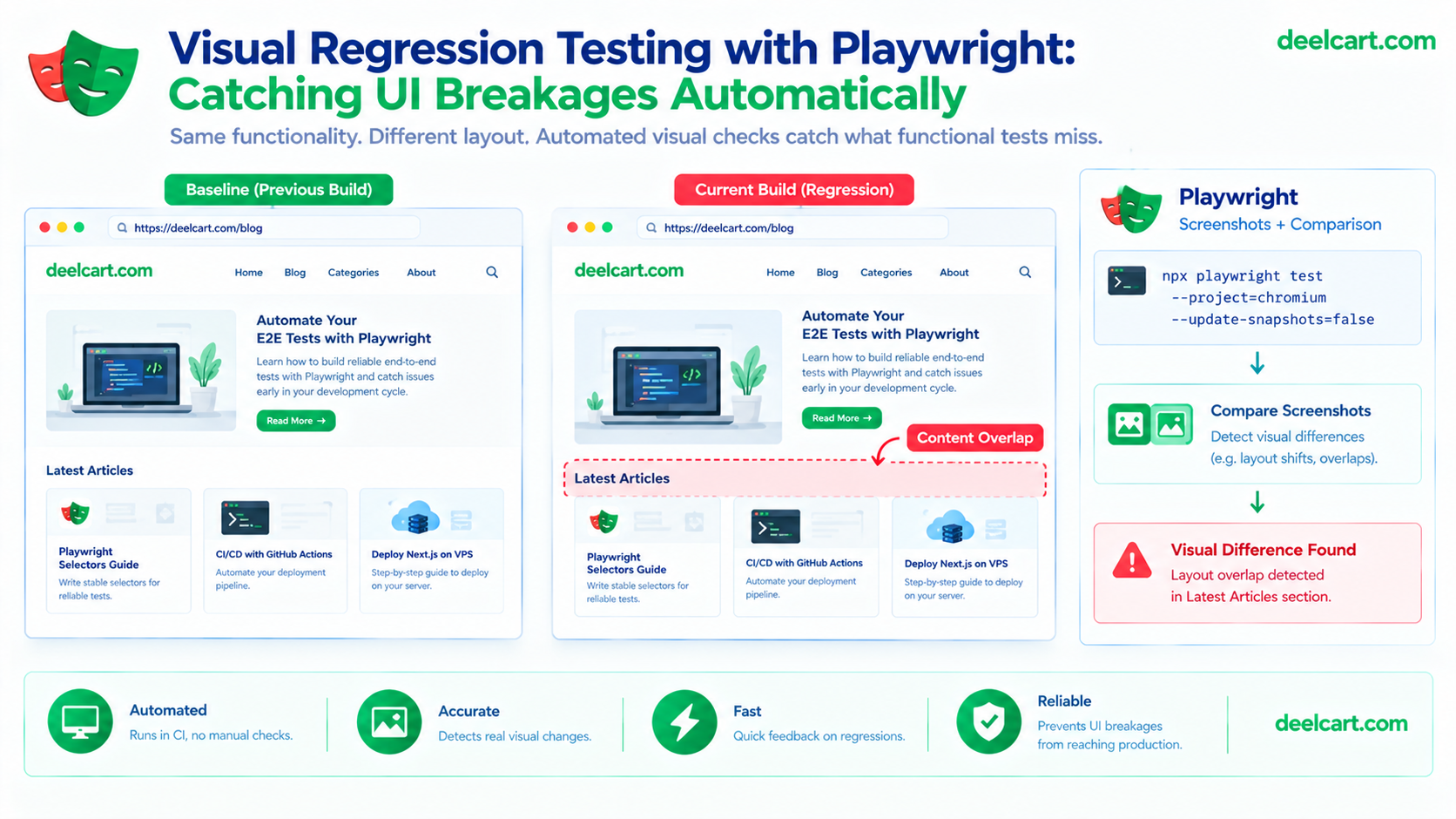
A functional test asks "does the right thing happen when I do X." A visual regression test asks an entirely different question: "does this look the same as it did last time." Playwright has built-in support for this — it captures a screenshot, compares it pixel-by-pixel against a saved reference image, and fails the test if they differ beyond a set tolerance.
import { test, expect } from '@playwright/test';

test('homepage looks correct', async ({ page }) => {
  await page.goto('/');
  await expect(page).toHaveScreenshot('homepage.png');
});
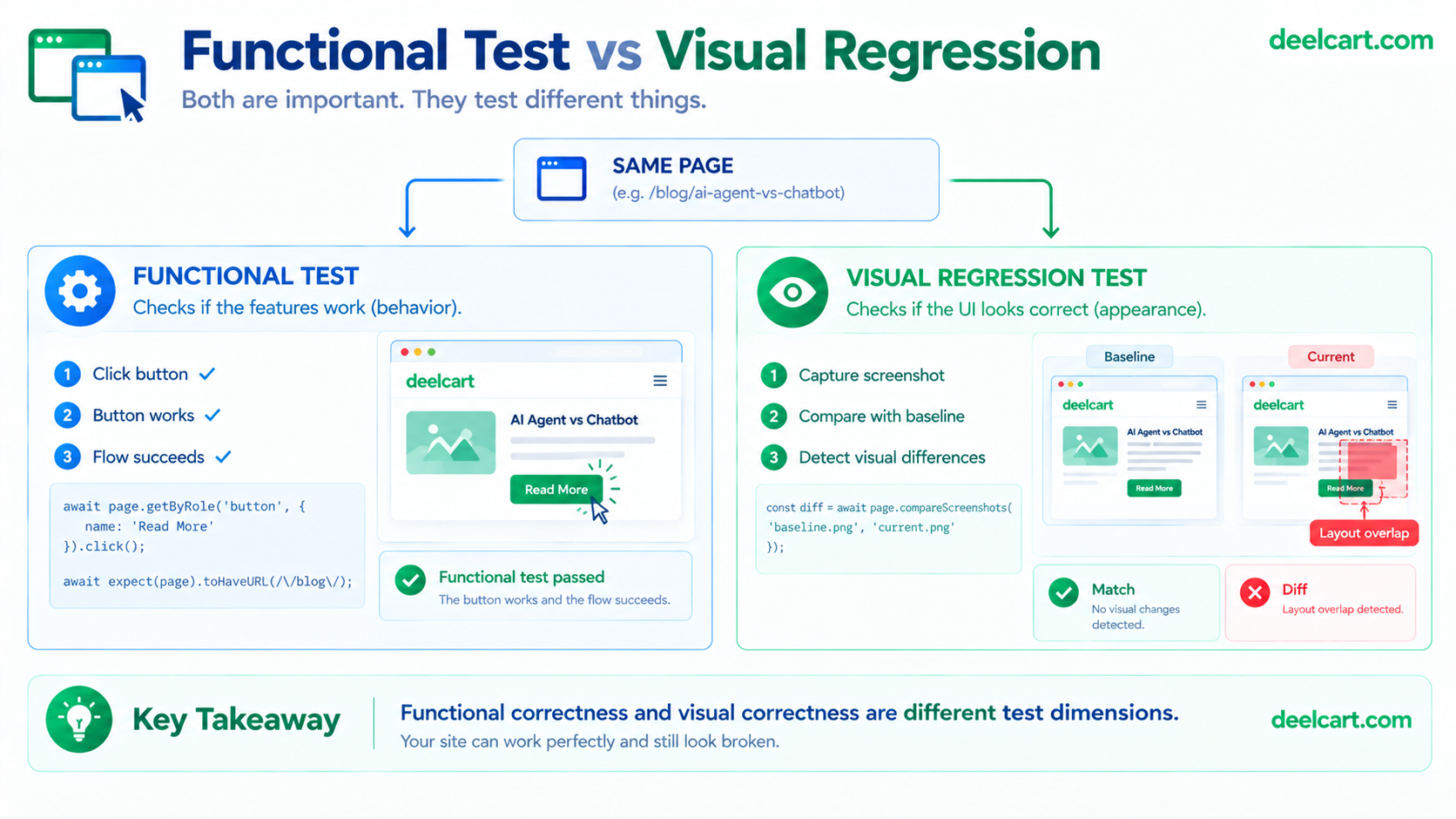
The first run generates the reference image rather than comparing against anything — there's nothing to compare against yet. Every run after that compares the current page against that saved baseline, and toHaveScreenshot fails the test the moment something visually differs.
The Problem That Makes This Genuinely Hard: False Positives
The naive version of this works fine locally and then falls apart the moment it runs in CI — screenshots taken on a different OS, with different font rendering and anti-aliasing, produce pixel differences against a baseline generated locally, even when nothing about the actual page changed. This is the single biggest source of frustration with visual testing, and it's not a Playwright bug, it's a fundamental consequence of rendering happening slightly differently across environments.
The fix is consistency, not more tolerance: generate baselines in the exact same environment tests will run in. The official Playwright Docker image exists specifically for this — running both baseline generation and comparison inside the same container, on the same OS, with the same font rendering, removes the entire class of false positives caused by environment drift:
docker run --rm -v "$(pwd)":/work -w /work mcr.microsoft.com/playwright:v1.49.1-noble \
  npx playwright test --update-snapshots
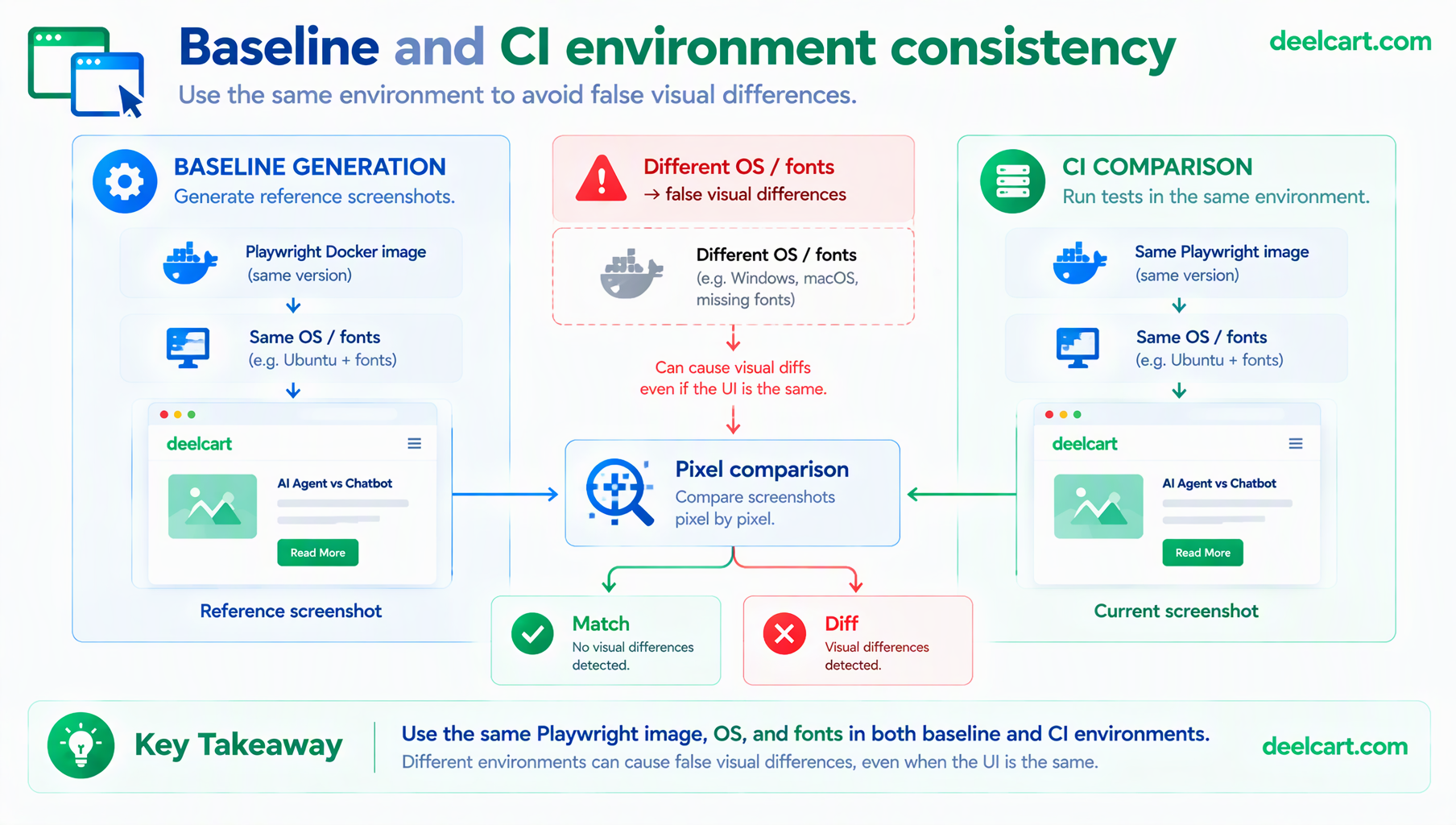
Baselines generated this way, then compared against in CI using the same image, stop producing phantom failures from rendering differences that have nothing to do with an actual regression.
A small amount of tolerance is still worth configuring, since even identical environments can have tiny sub-pixel variance:
await expect(page).toHaveScreenshot('homepage.png', {
  maxDiffPixels: 50,
});
This is meant to absorb genuine rendering noise, not to paper over real differences — a few dozen pixels out of a full-page screenshot is noise; thousands of changed pixels is a real regression.
Handling Content That's Supposed to Change
Some content on a page legitimately changes between runs — a timestamp, a rotating promotional banner, an ad slot — and a visual test comparing against a fixed baseline will flag every one of these as a failure even though nothing is actually broken. Masking specific regions excludes them from the comparison entirely:
await expect(page).toHaveScreenshot('homepage.png', {
  mask: [page.locator('.timestamp'), page.locator('.ad-slot')],
});
Masked elements are covered with a solid block in both the baseline and the current screenshot, so they're present in the layout (still affecting the space around them) without their actual changing content ever causing a failure.
Animations Are a Second, Related Source of Flakiness
A CSS transition or animation mid-flight at the exact moment a screenshot is captured produces a different image every single run, even with nothing else changing at all. Playwright can disable CSS animations and transitions automatically before capturing:
await expect(page).toHaveScreenshot('homepage.png', {
  animations: 'disabled',
});
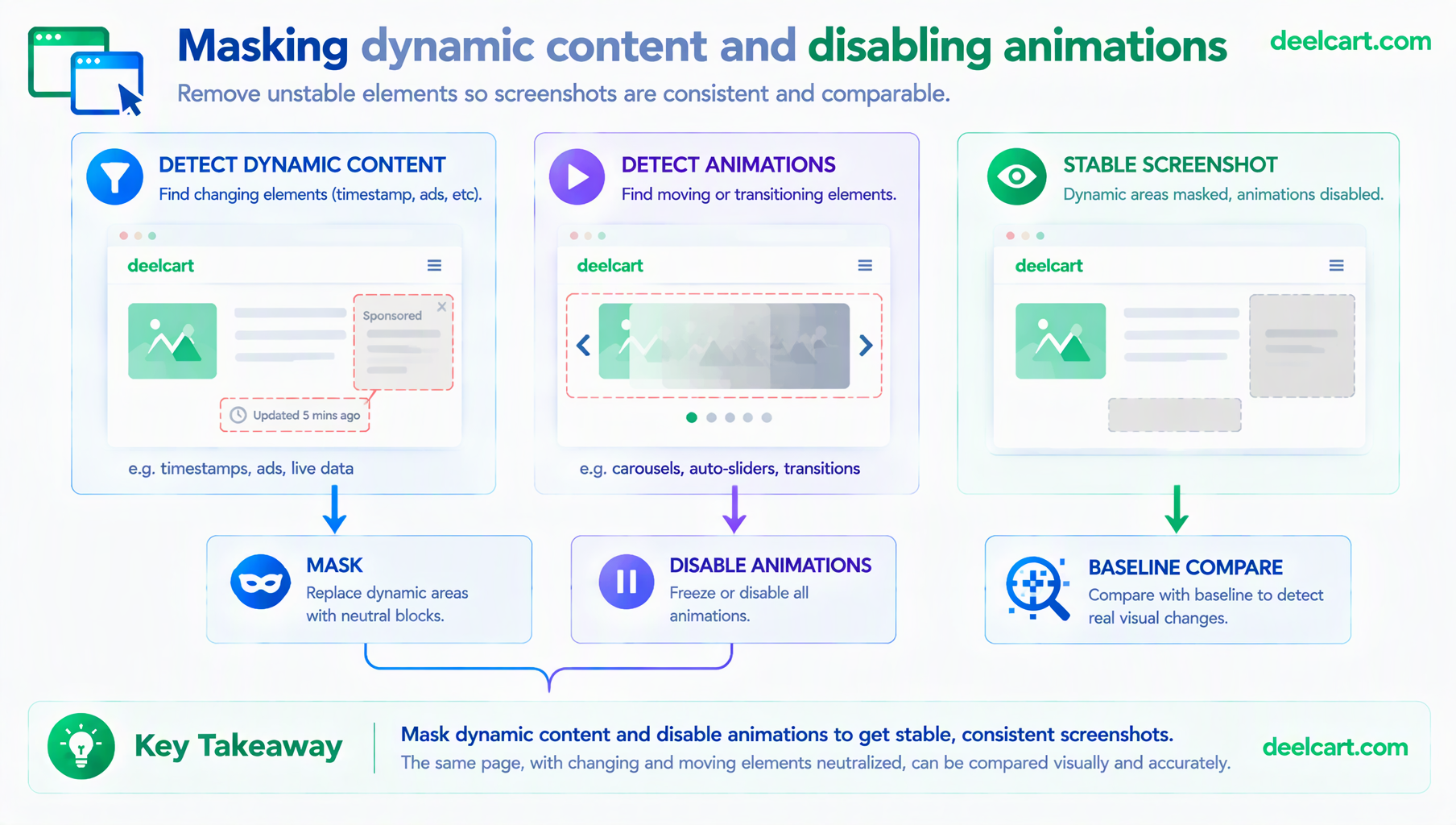
This works by forcing elements to their final animation state before the screenshot is taken, similar in spirit to how a site respecting the prefers-reduced-motion media query would present itself to a user who's asked for reduced motion — the layout is captured in its settled state rather than mid-transition.
What Playwright's Built-In Comparison Doesn't Cover
Playwright's local screenshot comparison is genuinely sufficient for a solo project or a small team — it's free, it runs entirely in your own CI, and it catches the exact class of bug that started this whole investigation. Where it starts to show real limits is at team scale: reviewing a visual diff means someone looking at a raw pixel-diff image in CI output, there's no built-in approval workflow, and testing across multiple real browsers and OS combinations means running the whole pipeline multiple times yourself.
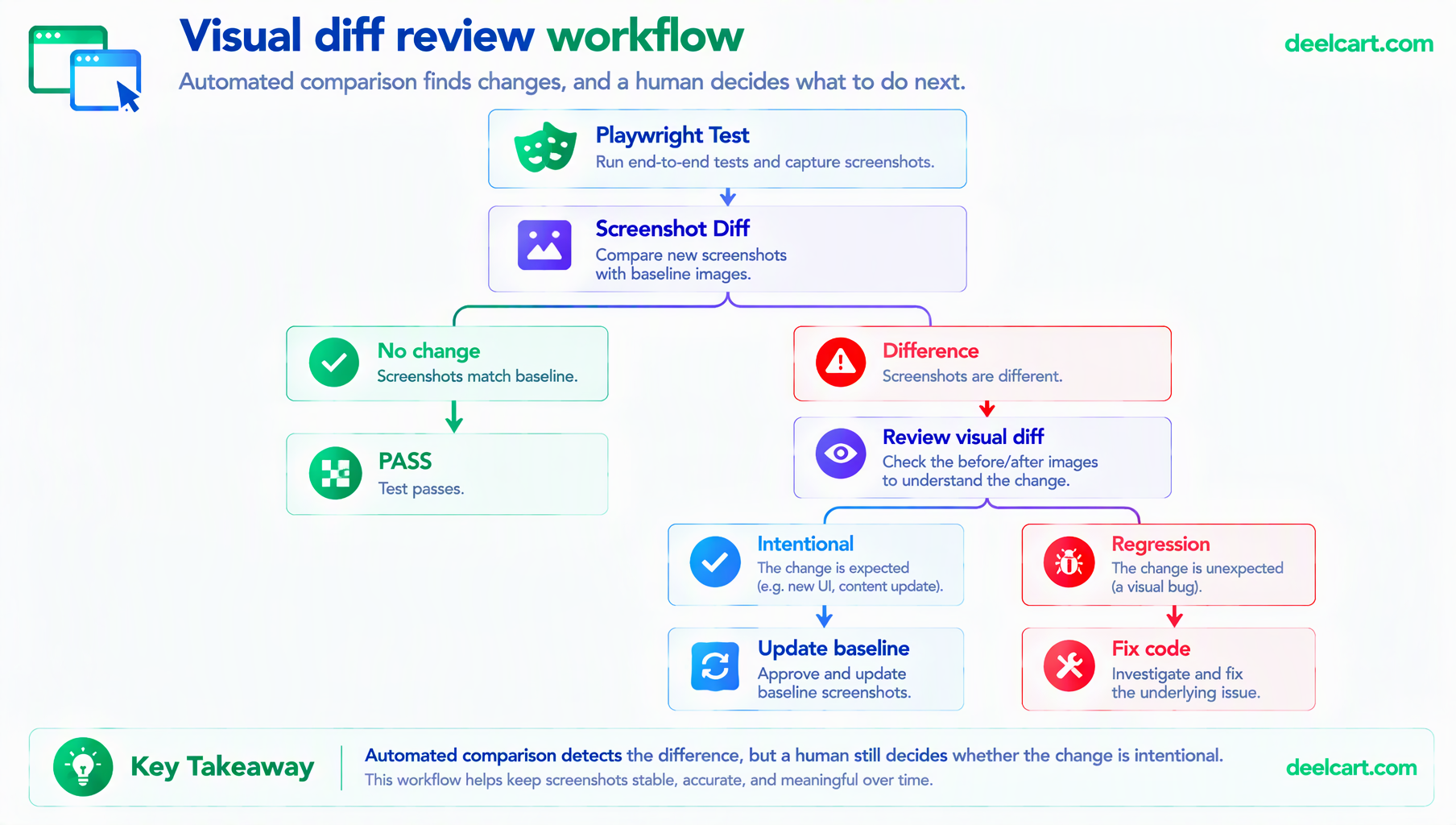
Dedicated services like Chromatic exist specifically to cover that gap — cloud-hosted baseline storage, a proper review UI for approving or rejecting visual changes, and cross-browser coverage without self-hosting the infrastructure for it. Worth reaching for once a team and review workflow are the actual bottleneck; unnecessary overhead before that point.
Frequently Asked Questions
How many pages actually need visual regression coverage?
Start with pages where a visual regression would be most costly or most likely — a homepage, a checkout flow, a few key templates that many other pages share. Blanket coverage of every single page is rarely worth the maintenance cost of keeping that many baselines current; a focused set of high-value pages catches most real regressions.
How do I update a baseline after a deliberate, intentional design change?
The same flag used to generate the first baseline updates an existing one: npx playwright test --update-snapshots. Review the new screenshots before committing them as the new baseline, the same way you'd review any other code change — an automated update isn't automatically a correct one.
Does this replace manual visual QA entirely?
No — it catches regressions against a known-good baseline, not new design problems in something that's never been screenshotted before. A brand-new page or feature still benefits from an actual human looking at it before the first baseline is captured; after that, visual regression testing is what keeps it from silently breaking later.
Is visual testing worth it for a small, low-traffic site?
It's worth it anywhere a layout break would be embarrassing or costly to leave live, regardless of traffic volume — the value is catching a regression before a real visitor sees it, not proportional to how much traffic the site gets. For a small number of key pages, the setup cost is low enough that it's worth doing even on a small project.
Justin is a self-taught developer who builds and runs DeelCart himself — from the articles to the server it runs on. He manages his own Linux infrastructure and writes guides based on tools and workflows he actually uses day to day.