Playwright and Streaming Hydration: Why One Hydration Marker Isn't Enough
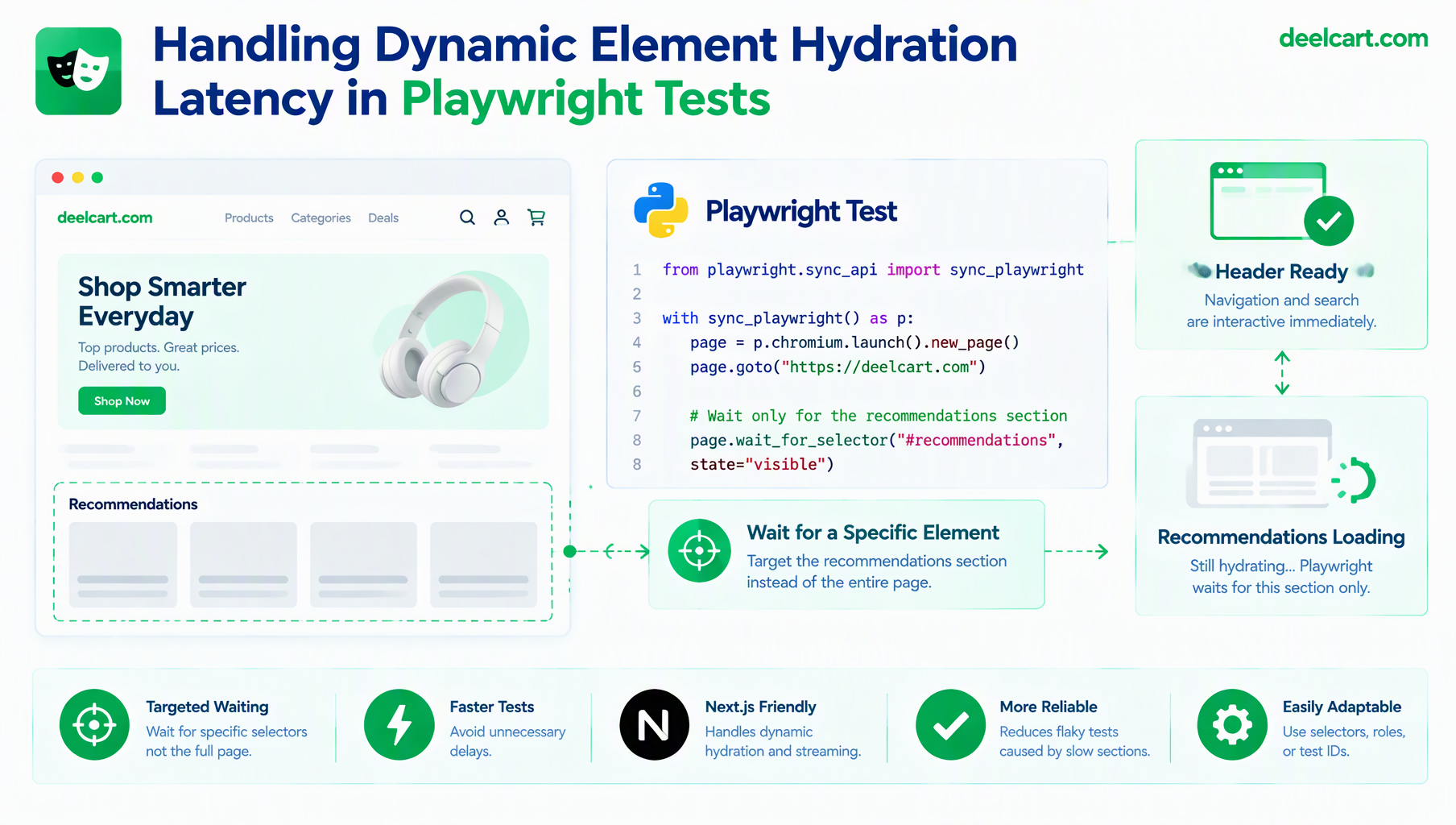
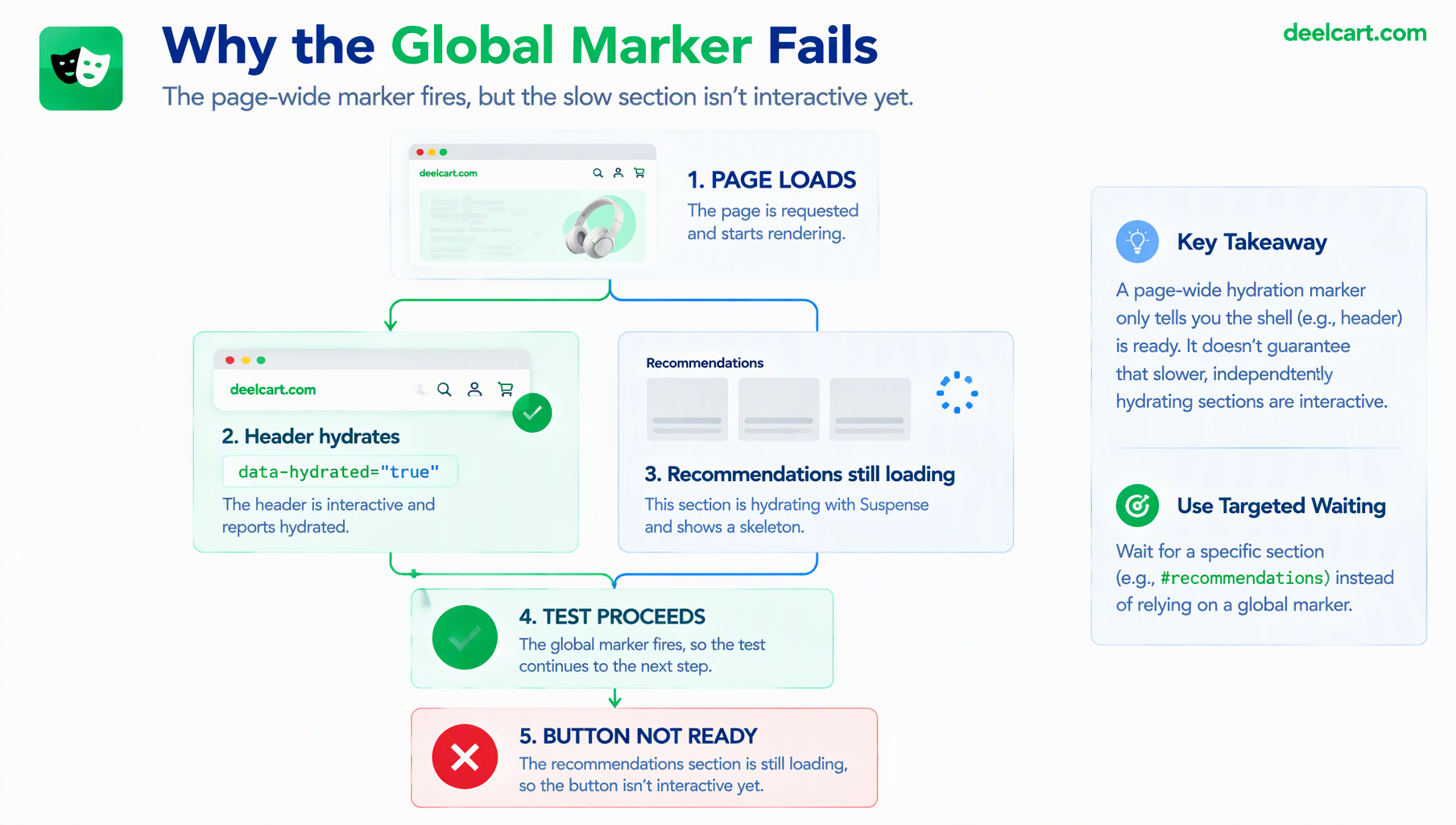
document.body set once React finishes hydrating, with the test waiting on it before interacting with anything. It worked reliably for a while, and then started failing intermittently on exactly one page: the one with a slow-loading section below the fold, wrapped in its own loading state. The marker fired early, the test proceeded, and it clicked a button in the slow section before that specific part of the page was actually interactive. The page-wide marker wasn't wrong about hydration happening — it was wrong about assuming hydration happens all at once.Why One Marker Isn't Enough
Next.js's App Router supports streaming server rendering with Suspense boundaries, where different sections of a page can arrive and become interactive at different times rather than the whole page hydrating as a single unit. A header and the main navigation might hydrate almost immediately; a section waiting on a slower data fetch, wrapped in its own loading.js or <Suspense> boundary, streams in and hydrates later — sometimes meaningfully later, sometimes the server even begins hydration before the full page has finished streaming.
A body-level data-hydrated="true" flag, set from an effect in some top-level component, tells you something hydrated. It says nothing about whether a specific section further down the page — one still waiting on its own Suspense boundary to resolve — is actually ready yet. On a page where everything hydrates close together, this distinction never surfaces. On a page with one genuinely slow section, it's the exact gap a test can fall into.
Per-Section Markers, Not One Page-Wide Flag
The fix is the same idea as before, applied at a finer grain: instead of one marker for the whole page, each independently-streamed section sets its own, scoped to that section specifically.
'use client';
import { useEffect, useRef } from 'react';

export default function HydrationMarker({ name }: { name: string }) {
  const ref = useRef<HTMLSpanElement>(null);

  useEffect(() => {
    ref.current?.setAttribute('data-hydrated', 'true');
  }, []);

  return <span ref={ref} data-hydration-marker={name} style={{ display: 'none' }} />;
}
Rendered once inside each Suspense-wrapped section, this gives the test a specific, scoped signal per section rather than one global claim about the whole page:
<Suspense fallback={<RecommendationsSkeleton />}>
  <Recommendations />
  <HydrationMarker name="recommendations" />
</Suspense>
The test then waits for the specific section it's about to interact with, using Playwright's locator API, rather than one global wait at the top of the test:
async function waitForSectionHydrated(page: Page, name: string) {
  await page
    .locator(`[data-hydration-marker="${name}"][data-hydrated="true"]`)
    .waitFor({ state: 'attached' });
}

test('recommendations section is interactive', async ({ page }) => {
  await page.goto('/product/123');
  await waitForSectionHydrated(page, 'recommendations');

  await page.getByRole('button', { name: 'Add to cart' }).click();
});
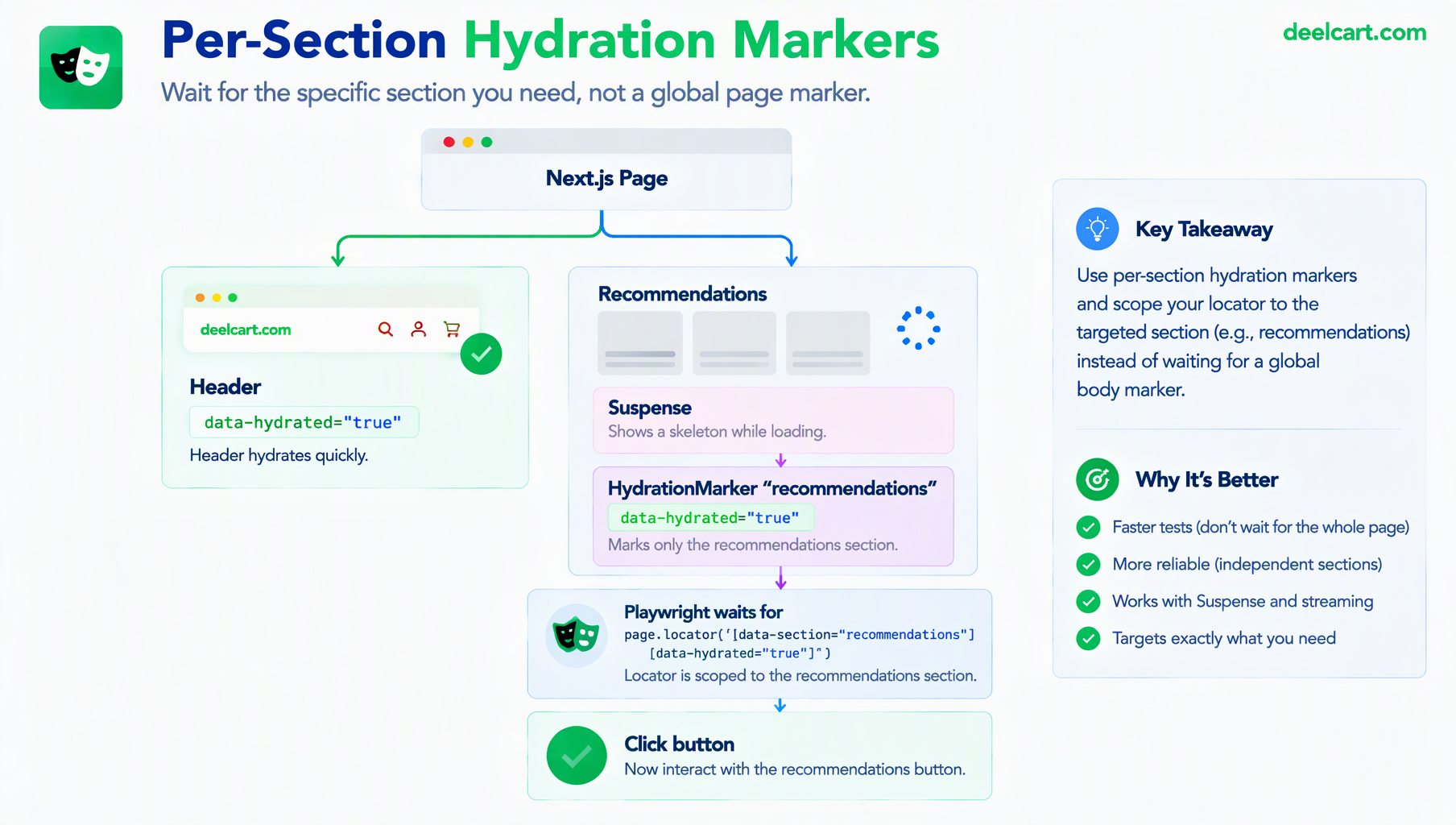
This is a direct, section-specific version of the same principle from waiting on page-wide hydration: don't guess at timing, wait for a real, specific signal — just scoped to the exact part of the page the test is about to touch, rather than the page as a whole.
The Trap: A Fallback That Looks Like the Real Thing
A second, subtler problem shows up once skeleton/fallback UI is involved. A well-designed loading fallback often matches the final layout closely — same structure, same approximate sizing, to avoid a layout shift when the real content arrives. That's good design, and it creates a real risk for a test: a selector written against the fallback's structure can accidentally match it successfully, producing a click that lands on placeholder UI instead of waiting for the real content to replace it.
The practical fix is making sure only the real content — never the fallback — carries the identifiers a test actually locates against:
// Fallback: no test id, nothing for a selector to accidentally match
function RecommendationsSkeleton() {
  return <div className="skeleton-grid">{/* placeholder blocks */}</div>;
}

// Real content: the only version that carries this identifier
function Recommendations({ items }: { items: Item[] }) {
  return (
    <div data-testid="recommendations-grid">
      {items.map((item) => <ProductCard key={item.id} {...item} />)}
    </div>
  );
}
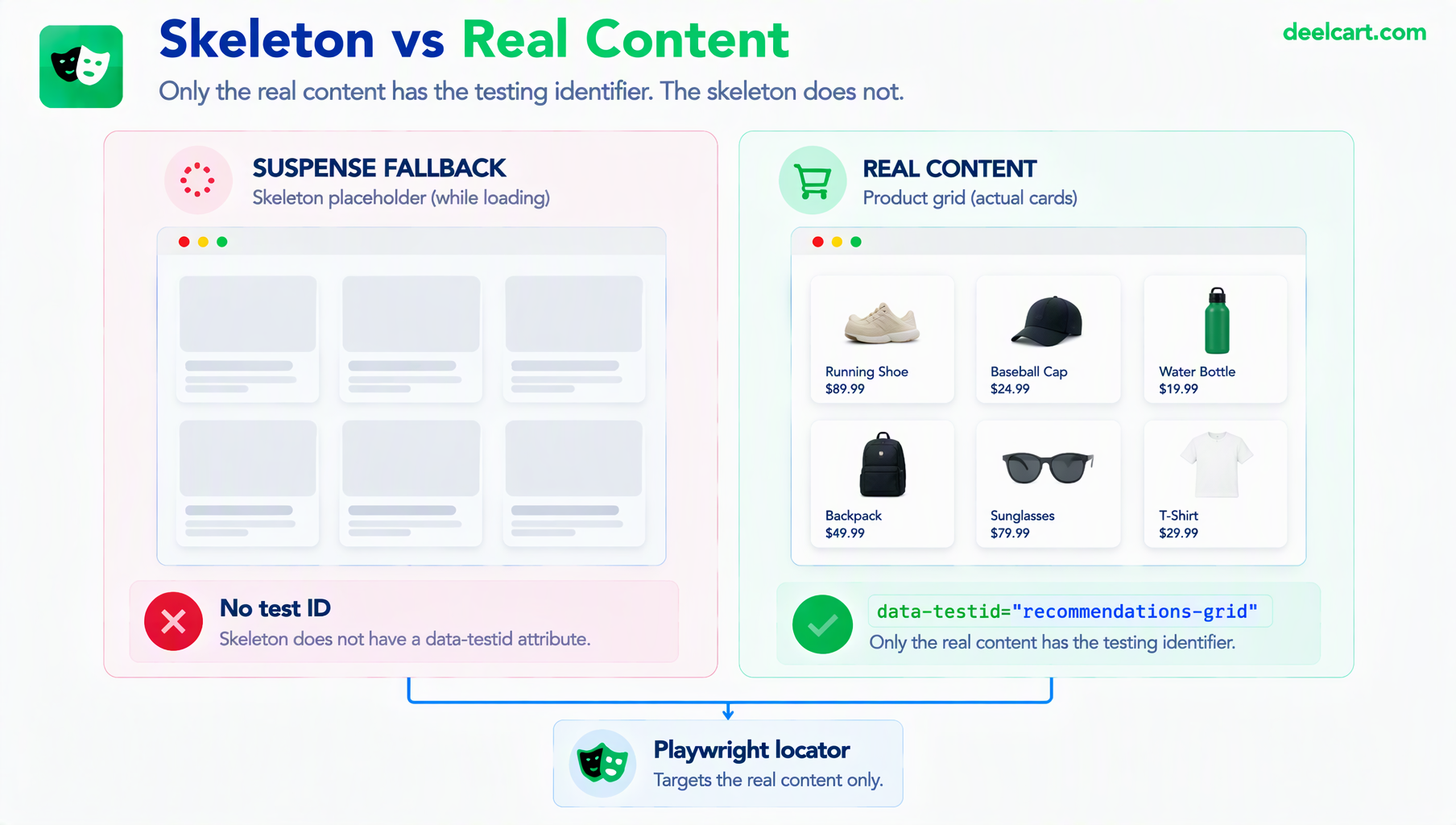
A locator built against data-testid="recommendations-grid" simply cannot match the fallback at all, regardless of how visually similar the two versions are — the test is structurally prevented from mistaking one for the other, rather than relying on timing to keep them apart.
When a Marker Component Isn't an Option
Adding a dedicated marker to every Suspense boundary isn't always practical, particularly in an existing, large codebase. page.waitForFunction() offers a way to wait on an arbitrary condition evaluated in the browser, which can target something the app already does rather than requiring a new component everywhere:
await page.waitForFunction(() => {
  const section = document.querySelector('[data-section="recommendations"]');
  return section && section.querySelector('.skeleton-grid') === null;
});
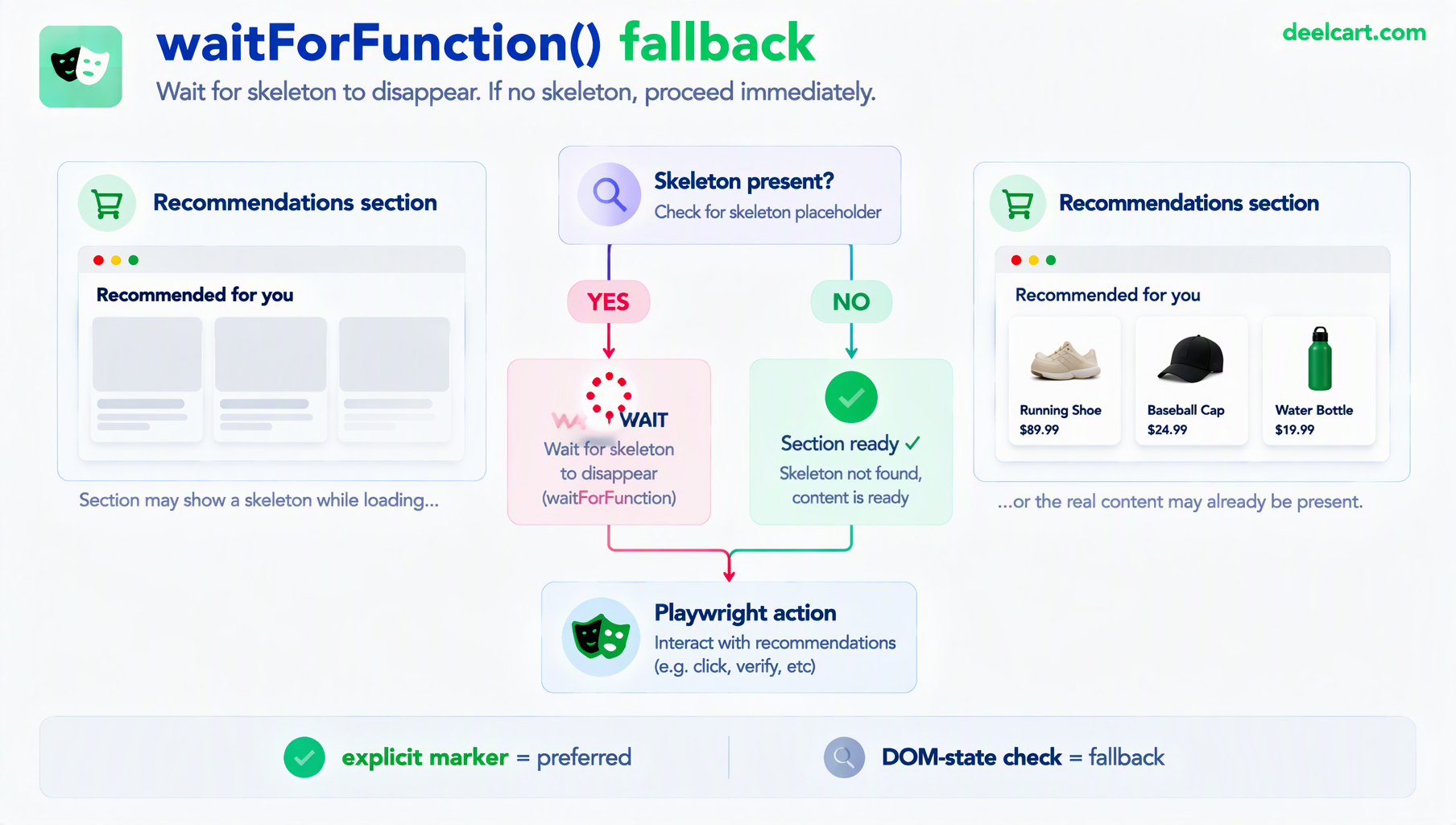
This waits until the skeleton's specific class is no longer present inside the target section — a reasonable fallback signal when you can't add a dedicated marker, though it's more brittle than an explicit marker since it depends on implementation details (a specific class name) rather than a signal the app deliberately exposes for testing.
Frequently Asked Questions
Does this only matter for Next.js, or any React app?
It matters for any framework doing server rendering with partial or progressive hydration rather than hydrating the entire page as one unit — Next.js's App Router is the most common case given its built-in Suspense-based streaming, but the underlying issue (one part of the page interactive before another) applies to any architecture where hydration isn't a single all-at-once event.
Isn't this a lot of extra markers to maintain across a large app?
Only sections genuinely worth testing in isolation need one — a fast, simple header rarely needs its own marker if it reliably hydrates well before anything a test interacts with. Reserve dedicated markers for sections with real, variable load time: anything behind its own data fetch or slow dependency, which is exactly where the original page-wide marker approach broke down.
Could I just wait longer instead of adding markers?
That's the same fixed-timeout problem in a new location — a longer wait either still isn't long enough on a bad day, or pads every test run with unnecessary waiting on the days it wasn't needed. Scoped markers wait exactly as long as that specific section actually takes, which is the entire advantage over guessing at a duration.
How do I find which sections of my app actually need this?
Flaky tests that fail inconsistently, specifically on interactions with content that loads later or further down a page, are the practical signal. A section that's never involved in a flaky failure likely hydrates quickly and consistently enough not to need its own dedicated marker.
Justin is a self-taught developer who builds and runs DeelCart himself — from the articles to the server it runs on. He manages his own Linux infrastructure and writes guides based on tools and workflows he actually uses day to day.